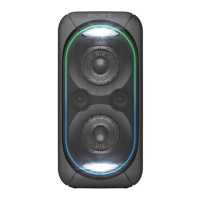
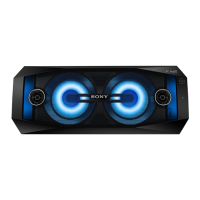
GTK-XB72
6
Sony CONFIDENTIAL
For Authorized Servicer
NFC OPERATION CHECKING METHOD
Perform the NFC operation check according to the following pro-
cedure.
Note 1: Be sure to delete pairing information after NFC operation check.
1. Necessary Equipment
• NFC-compatible smartphone
Note 2: Smartphone with a built-in NFC function (OS: Android 2.3.3
or later, excluding Android 3.x).
Note 3: If the NFC-compatible smartphone has an OS version that is
older than Android 4.1.x, download and install the “NFC Easy
Connect” application.
2. Connection Method
Procedure:
1. Turn on the NFC function of the smartphone.
If the NFC-compatible smartphone has an OS version that is
older than Android 4.1.x, start the “NFC Easy Connect” applica-
tion.
2. Press the [
1
] button to turn the power on.
3. Touch the smartphone to the N-Mark on this unit.
4. When the NFC connection is completed, the [ ] LED on this
unit lights up.
(US, CND)
5. Start the playback of an audio source on the smartphone.
Note 4: For details, refer to the operating instructions of smartphone.
DOUBLE-SIDED TAPE OF NFC BOARD
The NFC board is pasted on the top side inner of the side panel assy
(right) with the double-side tape.
When installing the NFC board to the side panel assy (right), cut out
the double-side tape of commercial products to following size and
paste it on the NFC board, then install the NFC board to the side
panel assy (right).
Note 1: When installing the NFC board, fi rmly press the NFC board to the
side panel assy (right), and paste it so that there no gap between the
NFC board and the side panel assy (right).
Note 2: When replacing the NFC board, be sure to replace the MAIN board
and simultaneously. The NFC board cannot replace with single.
Note 3: When NFC board has been replaced, be sure to refer to “NFC OP-
ERATION CHECKING METHOD” on the left, and check the NFC
operation.
Turn over.
27.0 mm
double-side tape
(commercial products)
18.0 mm
NFC board
NFC board
side panel assy (right)
(Top side inner)
rear side
front side
NOTE OF REPLACING THE MAIN BOARD OR THE NFC
BOARD
When replacing the MAIN board or the NFC board, be sure to re-
place the MAIN board and the NFC board simultaneously.
The MAIN board or the NFC board cannot replace with single.
Among the repair parts, the MAIN board and the NFC board are
supplied as one unit.
MAIN board
rear side
left side
front side
NFC board
SYSSET
2019/01/1806:06:34(GMT+09:00)



 To Next Page
 Loading...