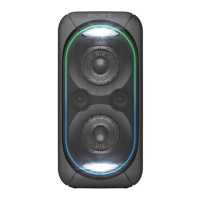
GTK-XB90
GTK-XB90
2121
SECTION 4
TROUBLESHOOTING
Ver. 1.1
1. Flowchart
Power does not turn on.
Yes
Ref. No. D9 on the MAIN board
is damaged (short circuit).
Yes
No
The following voltage is 5V.
MAIN board:
Between cathode side of Ref.
No. ZD4 and GND
Replace the MAIN board
with a new board.
Replace the Ref. No. D9 on the
MAIN board with a new part.
Completion.
Yes
Yes
Yes
No
2. Checking procedure
Procedure:
1. Check that the power does not turn on even if press the [1]
button, and disconnect the power supply.
2. Check the condition of part for diode (Ref. No. D9) of the
MAIN board.
Note 1: Bond is applied to the diode (Ref. No. D9). Refer to “4. Bond
removal of diode (Ref. No. D9)” on the right, cut off a fraction of
the bond and check it.
3. If the diode (Ref. No. D9) is damaged such as short circuit,
prepare a new diode.
Note 2: If the diode (Ref. No. D9) is normal, replace the MAIN board
with a new board.
4. Replace the diode (Ref. No. D9) with a new part.
Note 3: Notice to the direction of mount the part and replace it. (Refer to
“3. Parts position” below)
5. Input the power supply, measure the voltage between the cath-
ode side of the zener diode (Ref. No. ZD4) and GND with a
tester, and check that the voltage of 5 V is outputted.
Note 4: If a voltage of 5 V is not output, replace the MAIN board with a
new board.
6. Check that the power is turn on by press the [1] button, and it
is complete.
3. Parts position
ZD4
D9
Cathode
Anode
Cathode
Anode
– MAIN Board (Component Side) –
4. Bond removal of diode (Ref. No. D9)
Bond is applied to the diode (Ref. No. D9).
This bond is applied to fi x the electrolytic capacitor (Ref. No. CE4
and CE15), so it is no problem to remove the bond on the diode
(Ref. No. D9).
When checking or replacing the diode (Ref. No. D9), refer to the
fi gure below and remove the bond.
Note: Remove the bond so as not to aff ect the fi xation of the electrolytic
capacitor (Ref. No. CE4 and CE15).
• Bond removal
Cut off the bond along the outer shape of the diode (Ref. No. D9)
with a cutter etc.
Note: Check the electrolytic capacitor (Ref. No. CE4 and CE15) is fi rmly
fi xed.
D9
Bond Bond
Bond
D9
CE4
CE15
CE4
CE15
• Replace the diode (Ref. No. D9)
After removing the bond on the diode (Ref. No. D9), remove the
solder of the diode and replace with a new part.
Note 1: Check the electrolytic capacitor (Ref. No. CE4 and CE15) is fi rm-
ly fi xed.
Note 2: There is no need to apply the bond after mounting the new diode.
Note 3: Notice to the direction of mount the part and replace it. (Refer to
“3. Parts position” on the left)
SECTION 3
TEST MODE
Buttons and indicators position:
ADDSTAMINA FUNCTION RLUSB AUDIO IN
CHARGE
– Top view –
SOFTWARE VERSION
It can confi rm the software version.
Procedure:
1. Press the [
1
] button to turn the power on.
2. Press the [FUNCTION] button to select the AUDIO IN function.
3. Press two buttons of the [u] and [ADD] simultaneously for
5 seconds.
4. LEDs indicating the each software version fl ash simultane-
ously, and check the version by the fl ashing frequency.
Example:
• When the MCU version is “v12”
The [ADD L] LED fl ashes 1 time, the [ADD R] LED fl ashes 2
times.
(The [ADD L] LED and the [ADD R] LED flash simultaneously)
ADDRL
Flash
(1 time)
Flash
(2 times)
• When the MPEG version is “v14”
The [STAMINA] LED fl ashes 1 time, the [CHARGE] LED
fl ashes 4 times.
(The [STAMINA] LED and the [CHARGE] LED flash simul-
taneously)
STAMINA FUNCTION
CHARGE
Flash
(4 times)
Flash
(1 time)
• When the BT version is “v062”
The [AUDIO IN] LED does not fl ash (not light), the [ ] LED
fl ashes 6 times, the [USB] LED fl ashes 2 times.
(The [ ] LED and the [USB] LED flash simultaneously)
USB AUDIO IN
Flash
(6 time)
Flash
(2 times)
Not flash
(Not light)
FACTORY SETTING
It can reset all settings and clear the Bluetooth linked list. Execute
this mode before returning the this unit to the customer.
Procedure:
1. Press the [
1
] button to turn the power on.
2. Press two buttons of the [FUNCTION] and [–] simultaneously
for 5 seconds.
3. The [
], [USB], [AUDIO IN] and [
1
] LEDs fl ashes 2 times,
and the power turns off automatically.
CHARGE
USB AUDIO IN
Flash
(2 times)
Flash
(2 times)
SYSSET
2020/08/2022:42:53(GMT+09:00)



 To Next Page
 Loading...