38
Menus
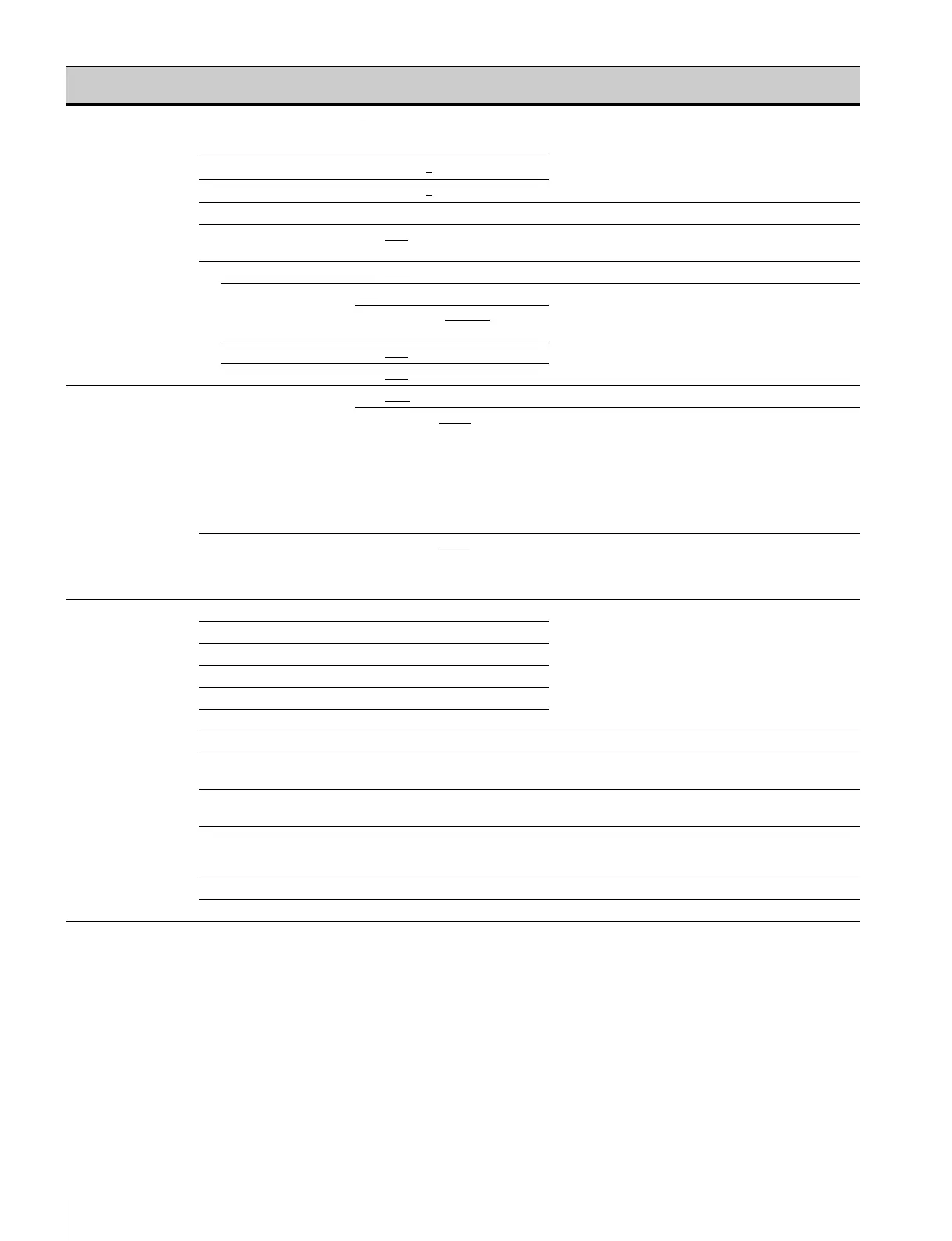
<MULTI MATRIX>
P13
PHASE 0, 23, 45, 68, 90, 113, 135, 158,
180, 203, 225, 248, 270, 293,
315, 338
Selects an axis (angle) at PHASE for which the
multimatrix adjustment to be made, and set HUE and
SAT. (HUE and SAT can be adjusted independently for
16 axes.)
HUE
–99 to +99, 0
SAT
–99 to +99, 0
ALL CLEAR ENTER to execute
GATE ON, OFF
, (1), (2), (3) (1), (2), (3): Displayed when SKIN GATE of <SKIN
DETAIL> is ON.
MATRIX ON, OFF
PRESET ON, OFF, -- --: When MATRIX is set to OFF (cannot be changed)
SMPTE-240M, ITU-709
, SMPTE-
WIDE, NTSC, EBU, ITU-601, --
USER ON, OFF
, --
MULTI ON, OFF
, --
<SHUTTER>
P14
SHUTTER ON, OFF
59.94i format: 1/100, 1/125,
1/250, 1/500, 1/1000, 1/2000
50i format: 1/60, 1/125, 1/250,
1/500, 1/1000, 1/2000
59.94P format: 1/100, 1/125,
1/250, 1/500, 1/1000, 1/2000
50P format: 1/60, 1/125, 1/250,
1/500, 1/1000, 1/2000
Step shutter selection
ECS FREQ 59.94i format: 60.00
to 4300 Hz
50i format: 50.00 to 4700 Hz
59.94P format: 59.96 to 4600 Hz
50P format: 50.03 to 4600 Hz
<SCENE FILE>
P15
1 Stores and reads scene files (paint data):
When storing a file in camera memory, specify the
number before executing STORE.
When reading, only specify the number.
2
3
4
5
STORE ENTER to execute
STANDARD ENTER to execute Reads the standard paint data.
READ (USB→CAM) ENTER to execute Loads five scene files from a USB drive to internal
memory.
WRITE (CAM→USB) ENTER to execute Writes five scene files in camera memory to a USB
drive.
FILE ID Max. 16 characters Enters a comment for the scene files to be written to a
USB drive.
See “To enter a character string” on page 24.
CAM CODE Camera code (display only)
DATE Date (display only)
Page name
Page No.
Item Settings Description


 To Next Page