21
GB
Playback Options
For more information, refer to the pages indicated in parentheses.
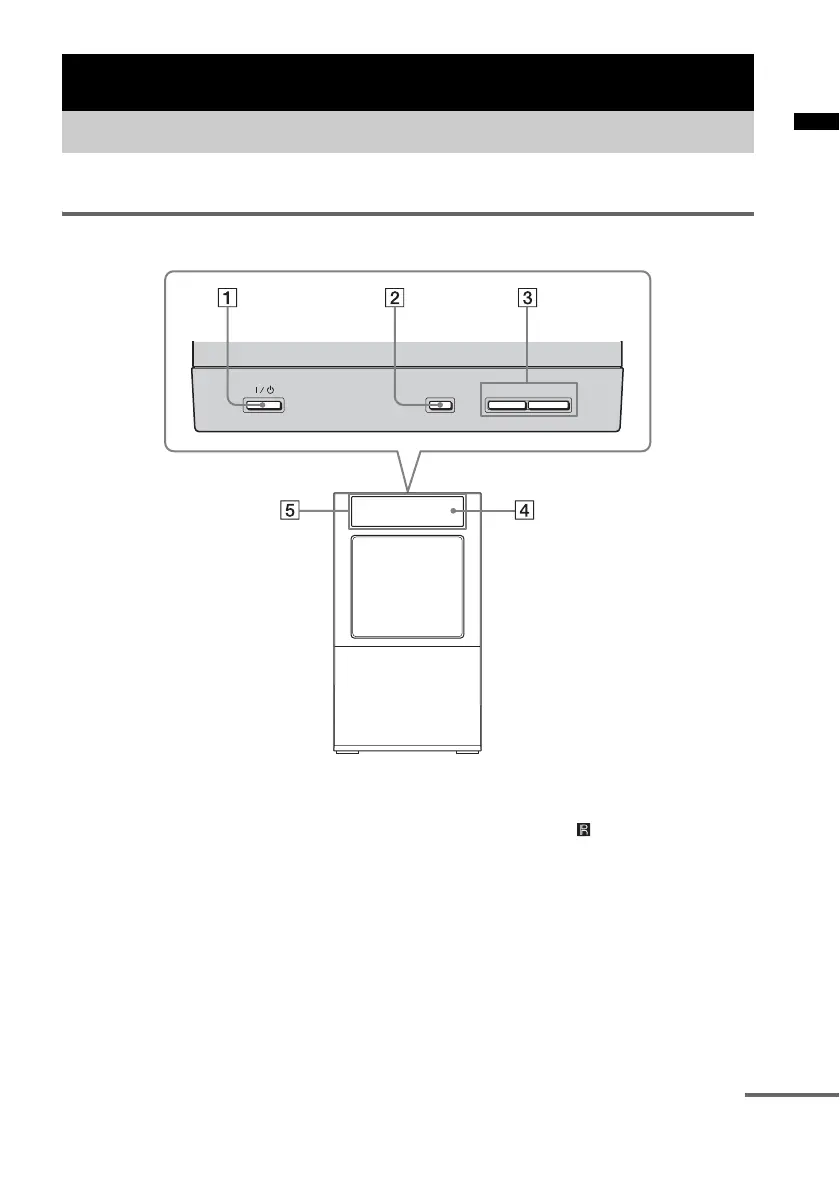
Top panel (subwoofer)
A ?/1 (on/standby)
Press to turn the system on or off.
B INPUT SELECTOR
Press to select the input source to play back.
Every time you press the button, the input
source changes cyclically as follows:
TV t BD t DVD t SAT/CATV t
DIGITAL 1 t DIGITAL 2 t FM t AM
t DMPORT t TV ......
C VOLUME +/–
Press to adjust the volume level.
D Remote sensor
Point the remote here.
E Front panel display
Check the system status.
Playback Options
Index to parts and controls
-
VOLUME +
INPUT SELECTOR
continued



 To Next Page