35
GB
Tuner Functions
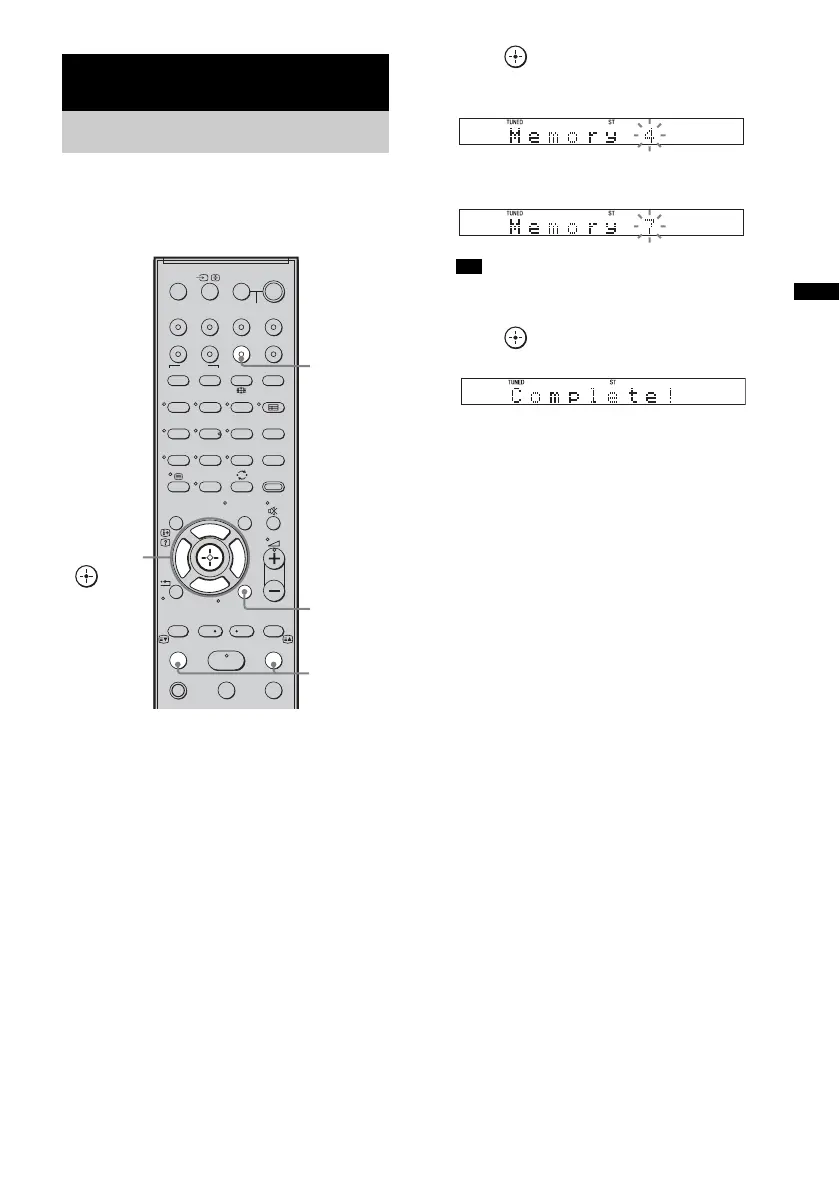
You can preset 20 FM stations, and 10 AM
stations. Before tuning, make sure to turn the
volume down to minimum.
1 Press TUNER/BAND.
You can change “FM” or “AM” by pressing
TUNER/BAND.
2 Press and hold TUNING + or – until the
auto scanning starts.
Scanning stops when the system tunes in a
station. “TUNED” and “ST” (for stereo
program) light up in the front panel display.
3 Press MENU.
4 Press X/x repeatedly until “Memory?”
appears in the front panel display.
5 Press .
A preset number appears in the front panel
display.
6 Press X/x to select the preset number
you want.
• You can select the preset number directly by
pressing the number buttons.
7 Press .
The station is stored.
8 Press MENU.
9 Repeat 2 to 8 to store other stations.
To change the preset number
Restart from step 3.
Tuner Functions
Presetting radio stations
123
46
78
0
ENTER
9
THEATRE
TV
?/1
AV
?/1
TV BD DVD
DIGITAL1 DIGITAL2 TUNER/BAND DMPORT
SAT/CATV
TOP MENU
MENU
BD/DVD
RETURN/EXIT
TV
TUNING
-
TUNING
+
F1 F2
AMP MENU
CLEAR
DISPLAY
NIGHT
MODE
SOUND
FIELD
AUDIO
ANALOGDIGITAL
?/1
TV CH
-
PRESET
-
TV CH
+
PRESET +
F
Gg
f
.
N
mM
Xx
<
<
>
5
SYSTEM STANDBY
MENU/HOME
TOOLS/
OPTIONS
C, X, x, c,
TUNING
–/+
TUNER/
BAND
MENU
Tip



 To Next Page