52
GB
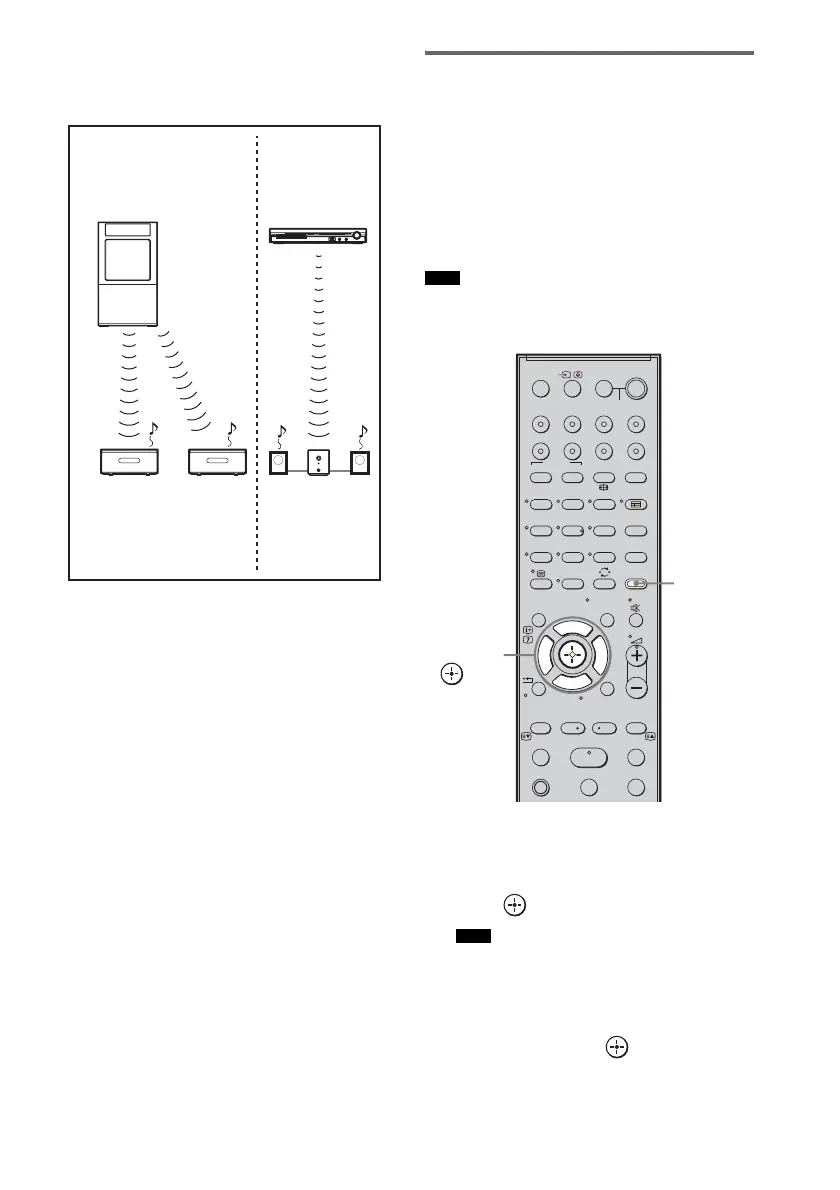
To use multiple S-AIR main units
You can use multiple S-AIR main units by
setting a different ID for each component.
Enjoying the system’s sound
in another room
You can enjoy the system’s sound by using the
S-AIR receiver. The S-AIR receiver can be
placed in another room for enjoying the system’s
sound there.
For details of the S-AIR receiver, refer to the
operating instructions of the S-AIR receiver.
• Sources with copyright protection may not be
playable on S-AIR receivers.
1 Press AMP MENU.
2 Press X/x repeatedly until “SET S-AIR”
appears in the front panel display, then
press or c.
• When the wireless transmitter is not inserted in
the subwoofer, “SET S-AIR” cannot be selected.
3 Press x/X repeatedly until “S-AIR
MODE” appears in the front panel
display, then press or c.
Other S-AIR
main unit
S-AIR main unit
(This subwoofer)
ID A
S-AIR sub unit
ID A
S-AIR
sub unit
ID B
S-AIR sub unit
ID A
ID B
Note
Note
SYSTEM STANDBY
MENU/HOME
TOOLS/
OPTIONS
TV VOL
MASTER VOL
123
46
78
0
ENTER
9
THEATRE
TV
?/1
AV
?/1
TV BD DVD
DIGITAL1 DIGITAL2 TUNER/BAND DMPORT
SAT/CATV
TOP MENU
MENU
BD/DVD
RETURN/EXIT
TV
TUNING
-
TUNING
+
F1 F2
AMP MENU
CLEAR
DISPLAY
NIGHT
MODE
SOUND
FIELD
AUDIO
ANALOGDIGITAL
?/1
TV CH
-
PRESET
-
TV CH
+
PRESET +
F
Gg
f
.
mM
Xx
<
<
>
5
SYSTEM STANDBY
MENU/HOME
TOOLS/
OPTIONS
N
AMP
MENU
C, X, x, c,



 To Next Page