33
US
Playback
Selecting a component
1
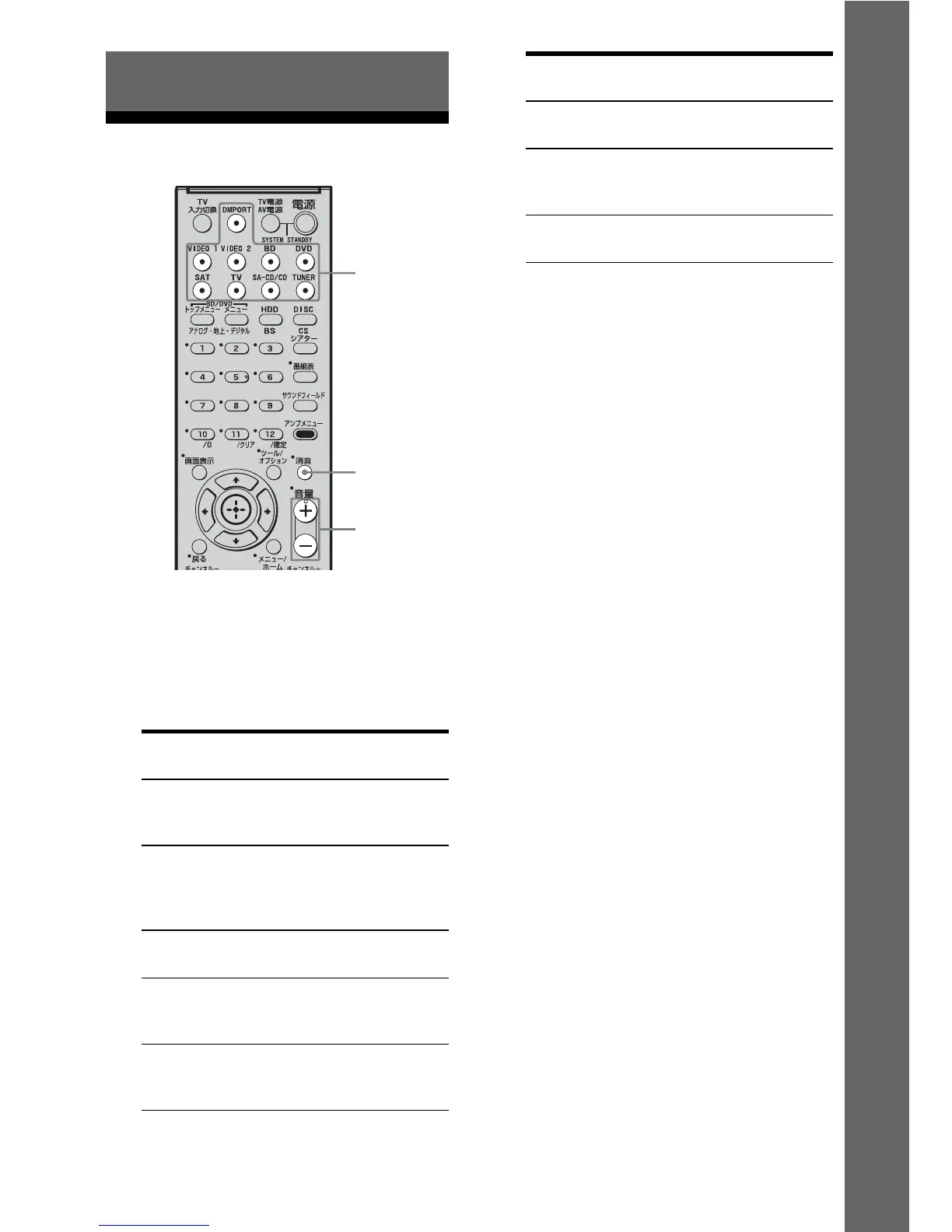
Press the input button to select
a component.
You can also use INPUT SELECTOR on
the receiver.
The selected input appears on the display.
2 Turn on the component and
start playback.
3 Press MASTER VOL +/– to
adjust the volume.
You can also use MASTER VOLUME on
the receiver.
To activate the muting function
Press MUTING.
The muting function will be canceled when
you do the following.
• Press MUTING again.
• Increase the volume.
• Turn off the receiver.
To avoid damaging your
speakers
Before you turn off the receiver, be sure to turn
down the volume level.
Playback
Selected input
[Display]
Components that can
be played back
DMPORT
[DMPORT]
DIGITAL MEDIA PORT
adapter connected to the
DMPORT jack
VIDEO 1 or
VIDEO 2
[VIDEO 1 or
VIDEO 2]
VCR, etc., connected to
the VIDEO 1 or VIDEO 2
jack
BD
[BD]
Blu-ray disc player, etc.,
connected to the BD jack
DVD
[DVD]
DVD player, DVD
recorder, etc., connected
to the DVD jack
SAT
[SAT]
Satellite tuner, set-top
box, etc., connected to the
SAT jack
Input
buttons
MASTER
VOL +/–
MUTING
Selected input
[Display]
Components that can
be played back
TV
[TV]
TV, etc., connected to the
TV jack
SA-CD/CD
[SA-CD/CD]
Super Audio CD/CD
player, etc., connected to
the SA-CD/CD jack
TUNER
[FM or AM band]
Built-in radio tuner



 To Next Page