40
GB
Enjoying music on the USB device
You can play music on a device
connected to the (USB) port on the
main unit.
What you can control with Sony | Music
Center varies depending on the connected
device. The specification and design of the
application may change without notice.
1 Install the free Sony | Music
Center app to the mobile device.
Search for Sony | Music Center at
Google Play or the App Store and
install it onto your mobile device.
2 Connect the system and mobile
device with the BLUETOOTH
function (page 33) or network
function (page 19).
3 Start Sony | Music Center.
4 Operate by following the Sony |
Music Center screen.
• Before using Sony | Music Center, be sure
to set the [Bluetooth Mode] to [Receiver]
(page 55).
• Use Sony | Music Center of the latest
version.
Tips
• You can connect the system and mobile
device with the NFC function (page 34).
• When connecting with the network
function, connect the mobile device to
the same network as that of the system.
Using Chromecast built-
in
Chromecast built-in allows you to select
music content from the Chromecast-
enabled app and play back on the
system or group that the system is
included.
1 Press HOME.
The home menu appears on the TV
screen.
2 Select [Music Service List] on the
home menu.
The music service list appears on
the TV screen.
3 Select [Chromecast built-in].
Perform the settings to use
Chromecast built-in on the system
by following the on-screen
message.
After performing the settings,
[Quick Start/Network Standby] is set
to [On] automatically and you can
play music quickly even when the
system is in standby mode
(page 57).
4 Connect the mobile device by Wi-
Fi to the same network as that of
the system.
5 Install the Chromecast-enabled
app to the mobile device.
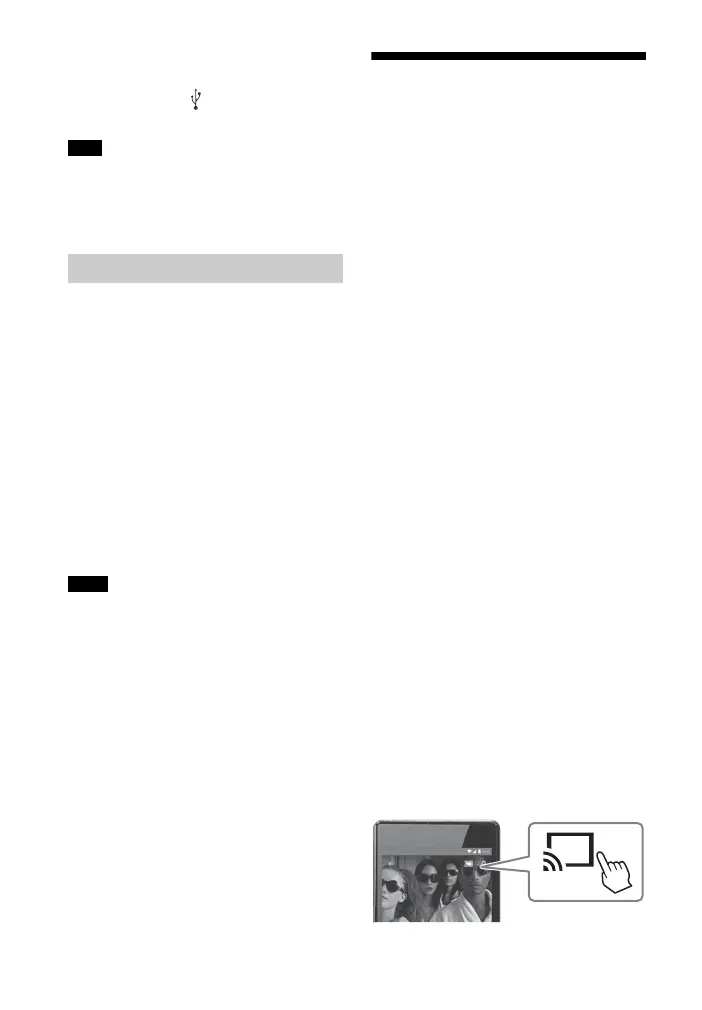
6 Start the Chromecast-enabled
app, tap the cast button, and
select the system or group that
the system is included.
Note
Using Sony | Music Center
Notes



 To Next Page