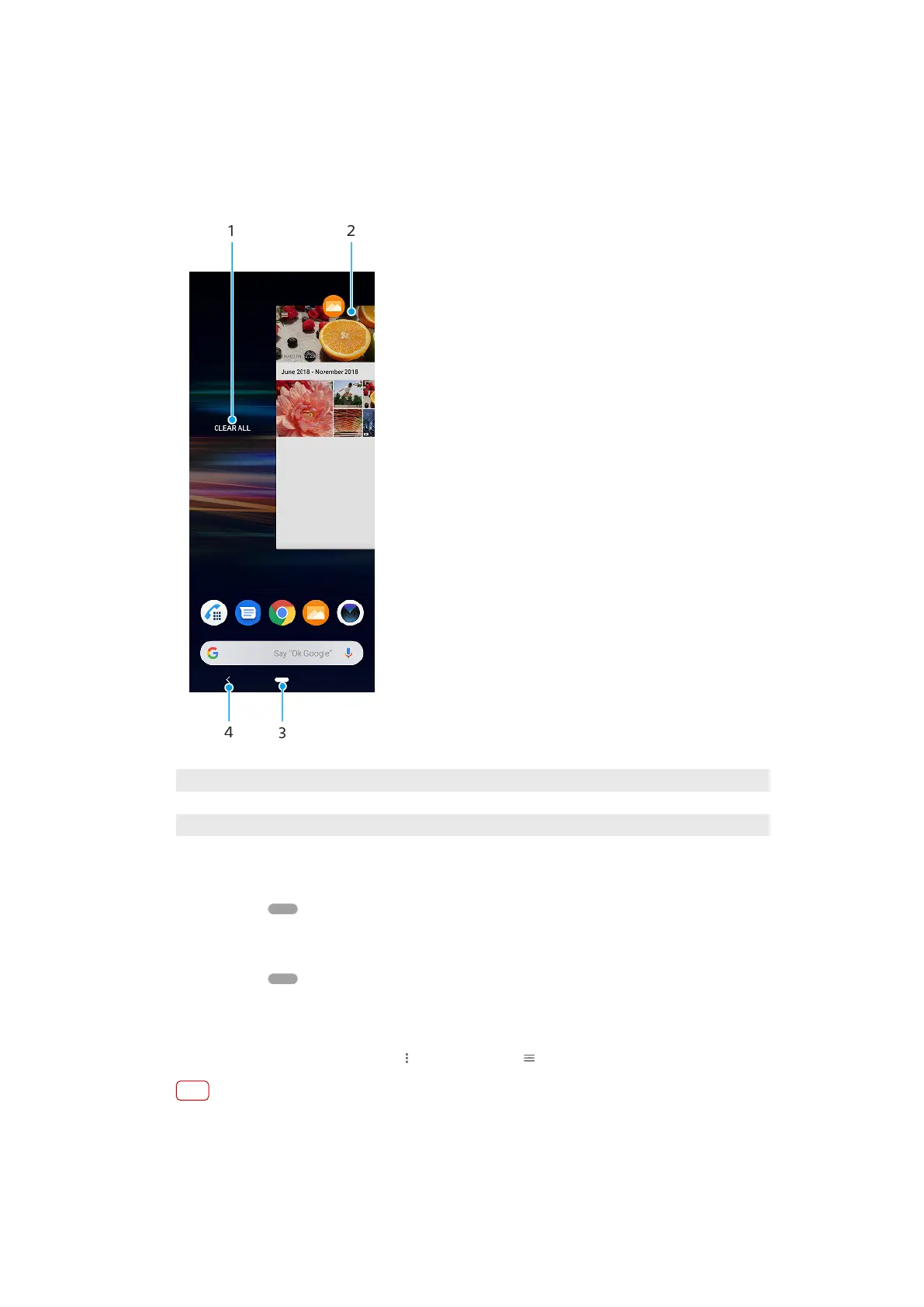
and the home button. You can also pop open two applications on the screen at
onc
e using the Split screen mode, if the application supports multi-window
function.
Navigating applications overview
1 Clear all – Close all the recently used applications
2 Recently used applications window – Open a recently used application
3 Home button – Exit an application and go back to the Home screen
4 Back button – Go back to the previous screen within an application or close the application
To open the recently used applications window
• S
wipe up on
(Home button).
To close all the recently used applications
1 Swipe up on (Home button).
2 Swipe the window all the way to the right, then tap Clear all.
To open a menu in an application
• While using an application, tap (Menu icon) or (Options icon).
Note
A menu is not available in all applications.
28
Int
ernet version. For personal use only.















 To Next Page