Photos and videos in Album
Viewing pho
tos and videos
Use the Album application to view photos and play videos that you’ve taken with
your camera, or to view similar content that you've saved to your device. All photos
and videos are displayed in a chronologically ordered grid.
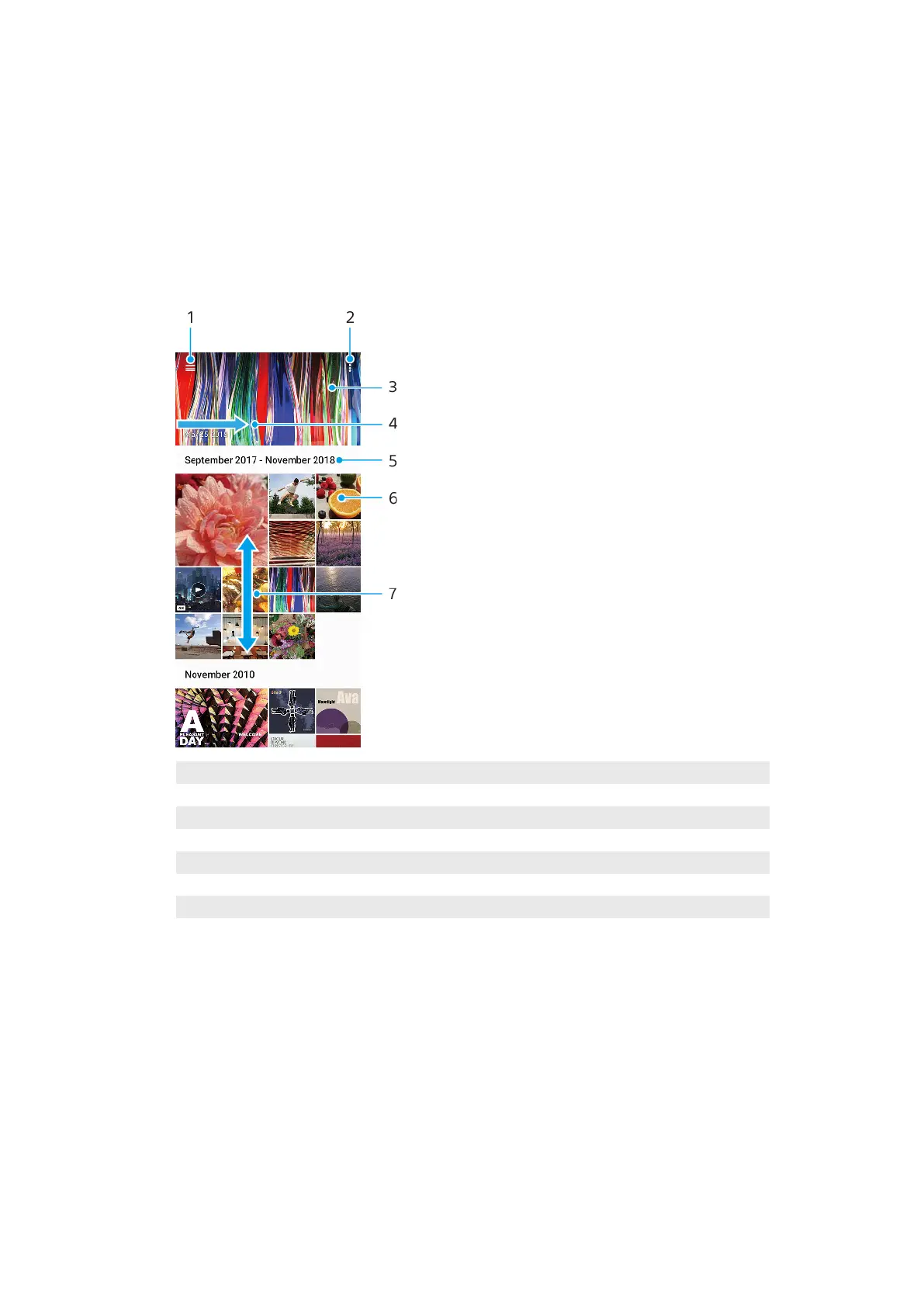
Album overview
1 Open the Album home screen menu
2 View menu options
3 View a slideshow of your photos and videos
4 Swipe right to open the Album home screen menu
5 View date of items in the group
6 Tap a photo or video to view it
7 Scroll up or down to view content
Album home screen menu
F
rom the Album home screen menu you can browse your photo albums, including
photos and videos taken using special eects. From the Album application, you
can also perform basic editing tasks and use methods such as Bluetooth and email
to share content.
94
Int
ernet version. For personal use only.















 To Next Page