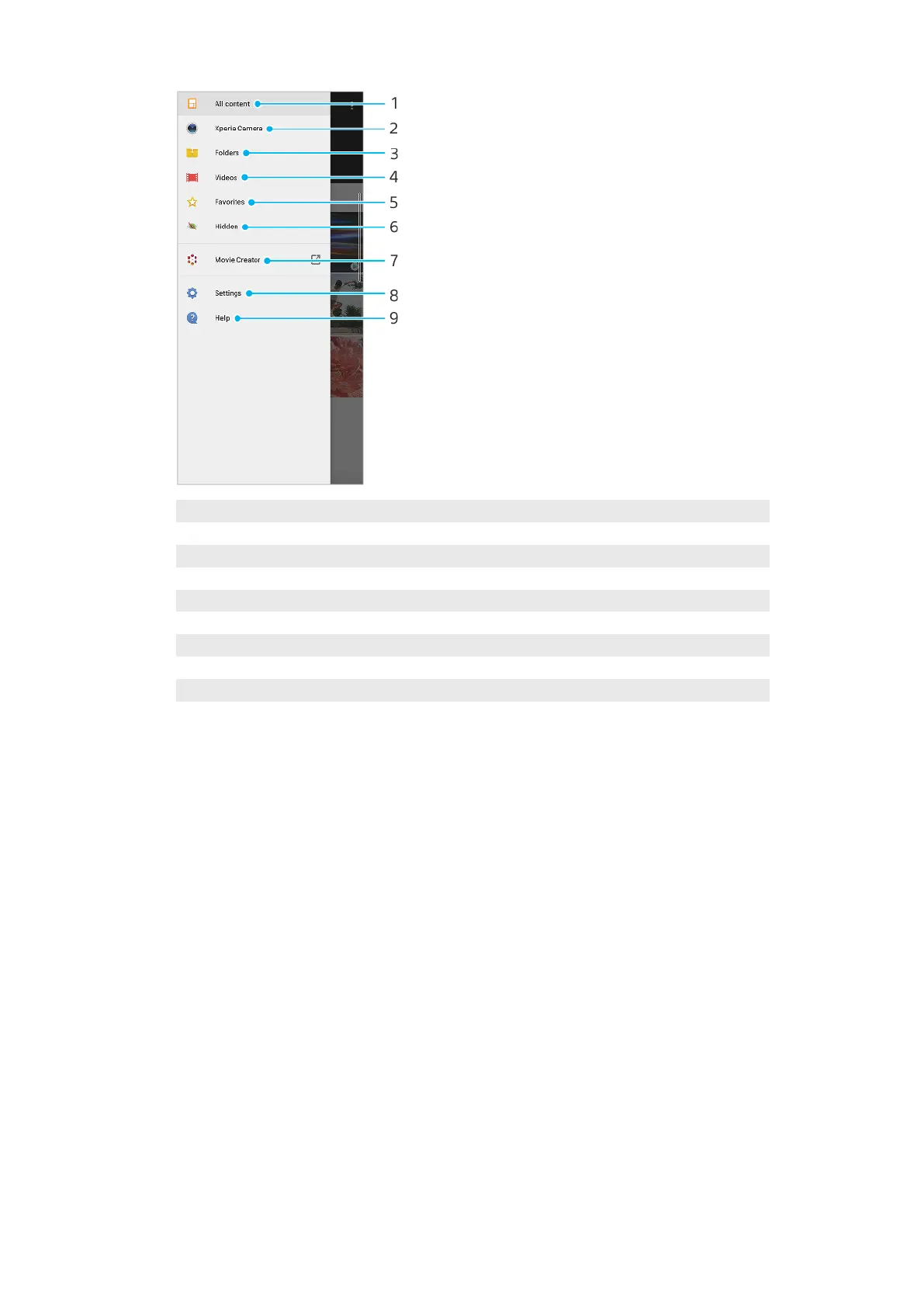
1 Return to the Album application home screen to view all content
2 View all photos and videos taken with your device’s camera
3 View all photos and videos saved on your device in di
erent folders
4 View all videos saved on your device
5 View your favorite photos and videos
6 View photos and videos that you have hidden from view
7 Launch Movie Creator to view short movies of your photos
8 Open the Settings menu for the Album application
9 Open web support
95
Int
ernet version. For personal use only.















 To Next Page