Music and FM radio
T
ransferring music from a computer to your device
There are two ways to transfer music from a computer to your device:
• Connect your device to a computer using a USB Type-C cable. Select File Transfer
on your device and then copy and paste or drag and drop the les using the
computer.
• On the computer, save your media les using Google Drive. Then, synchronize the
data on your device by logging in to the Google account.
Note
The Music application may not support all music le f
ormats.
Listening to music
Use the Music application to listen to your favorite music.
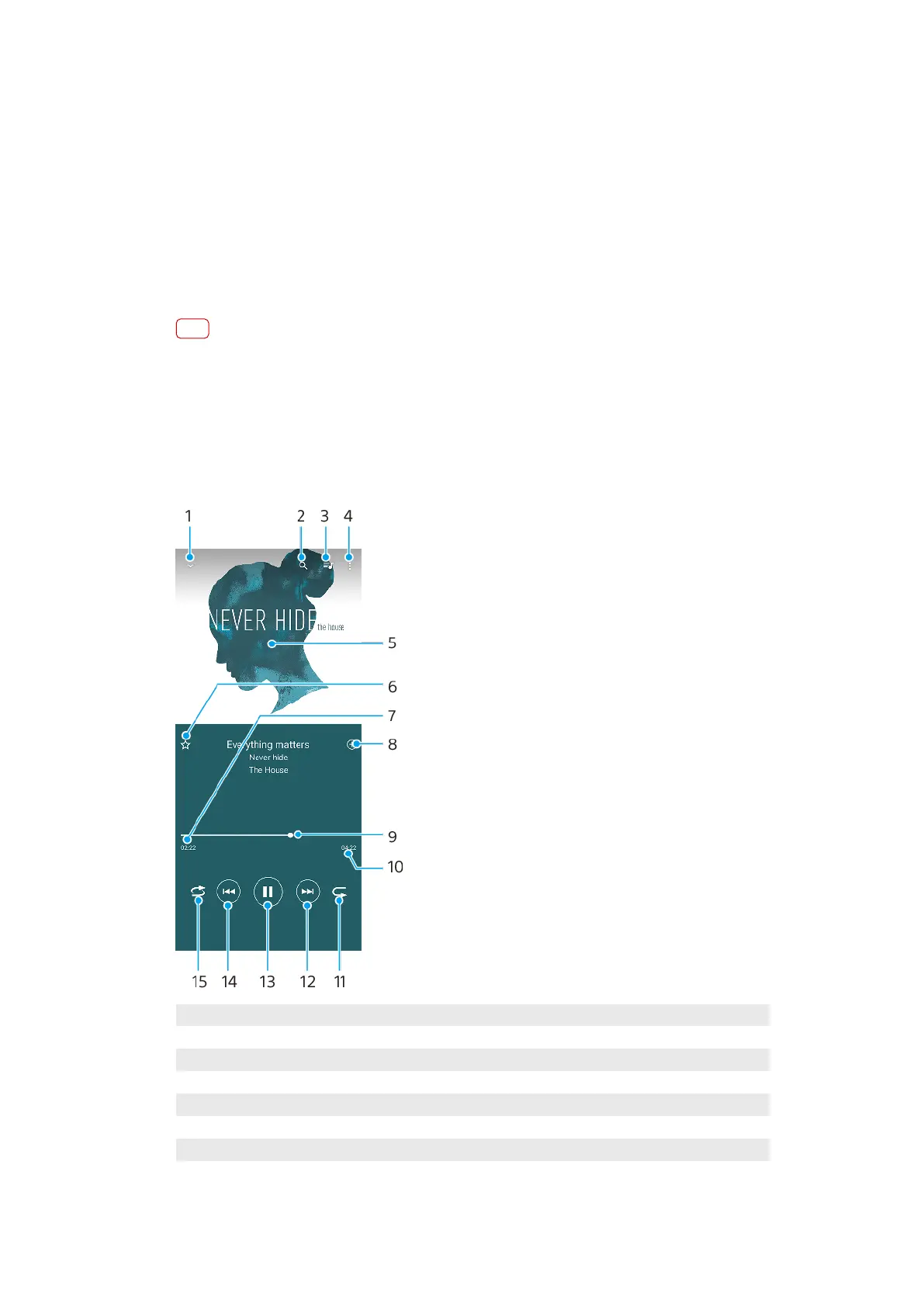
Music player overview
1 Minimize the full screen player
2 Search all songs saved to your device
3 View the play queue
4 View menu options
5 Album art (if available)
6 Add or remove a song as a favorite
7 Elapsed time of current song
8 Add a song to a playlist
76
Int
ernet version. For personal use only.















 To Next Page