ICD-UX71/UX71F/UX81/UX81F/UX91F
7
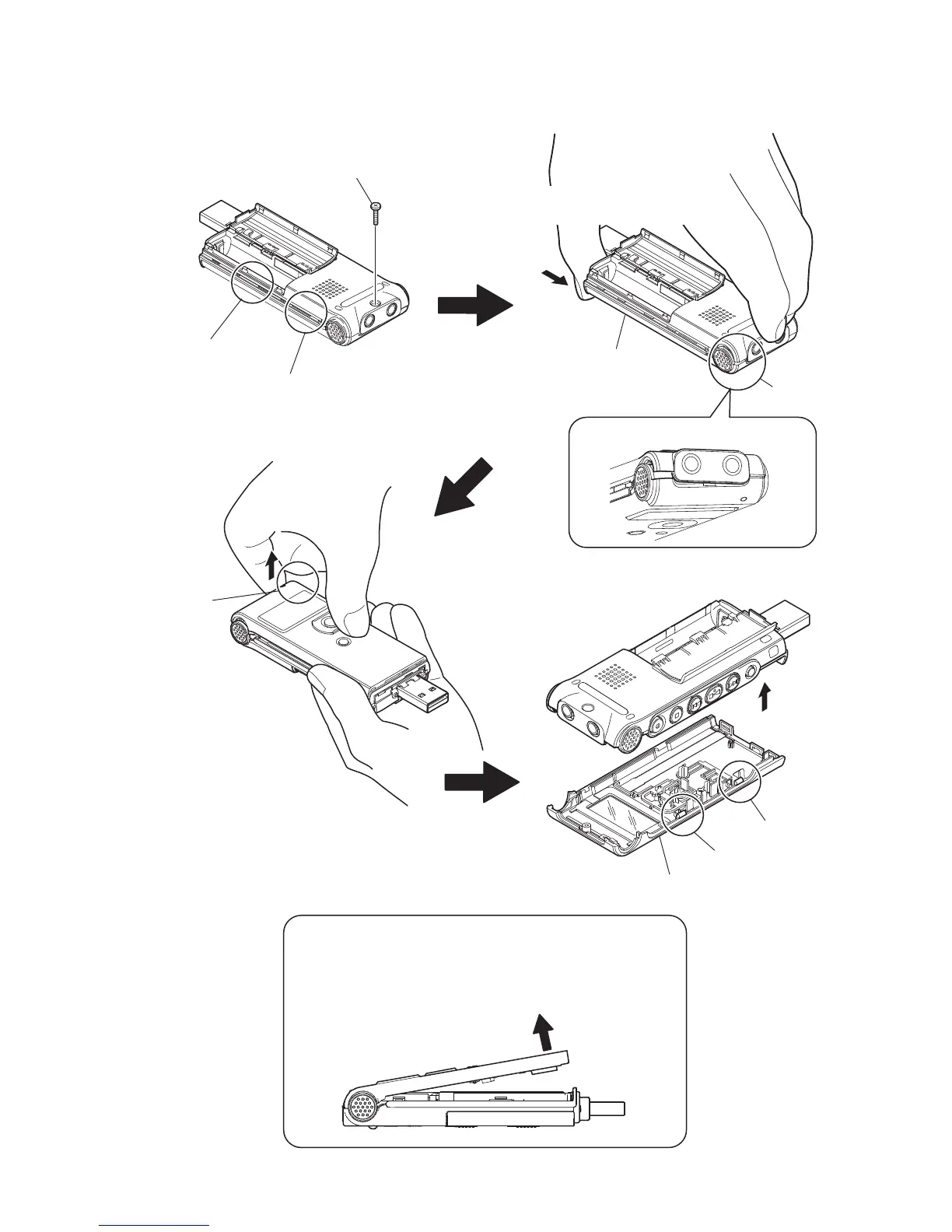
2-2. CASE ASSY
T
Unfastened state.
case assy
Take care not to open the case assy as illustrated below
with the claws on the LCD side fastened.
Forcedly opening the assembly may cause both left and
right claws on the LCD side to be broken.
Unfasten the left claw of the LCD side
while pressing the case assy.
Caution
screw
(1.4)
claw
claw
claw
claw
claw
RB csae assy
claw
Unfasten the right claw of the LCD side
with a supporting point by the MENU button.



 To Next Page