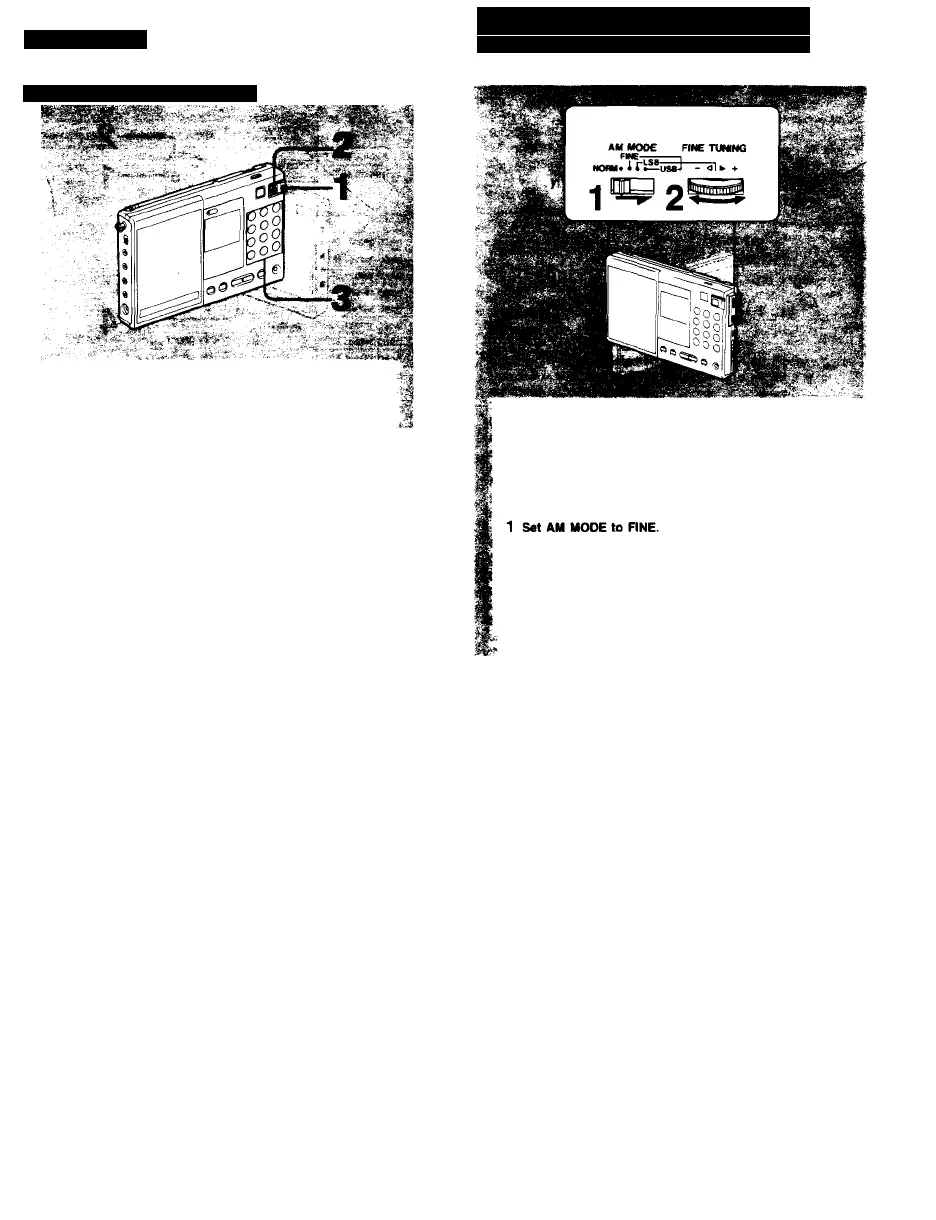
Preset Tuning
To Tune in a Preset Station
1 Set POWER/LOCK to POWER.
2 Press ON/OFF.
3 Press a desired PRESET/DIRECT TUNING button.
The preset station will be tuned in.
To check the preset station
Press PRESET/DIRECT TUNING while pressing BAND. The frequency of the
preset station is displayed. You can check anytime even if another station is
tuned In.
To change the preset station
Store a station on a desired PRESET/DIRECT TUNING button. The station
previously stored on the button is erased.
How to Tune in Precisely
------
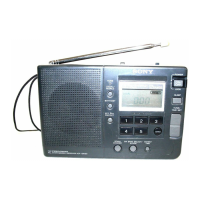
Using the FINE TUNING control
This radio receives the station at the interval of frequency
shown in the list on pages 0 and 0. To receive a station
whose frequency does not coincide with this interval, it is
necessary to adjust the tuning in approx. ±5 kHz range
by FINE TUNING. In this case, the frequency display will
not change.
2 Adjust the tuning with FINE TUNING.
+: For a frequency up to approx. 5 kHz higher
-; For a frequency up to approx. 5 kHz lower
Note
FM band cannot be adjusted with FINE TUNING.







 To Next Page