How to Change the MW Chan nel Step
I
i?» >ij:jJW3WO«fle8 t
■ - } t
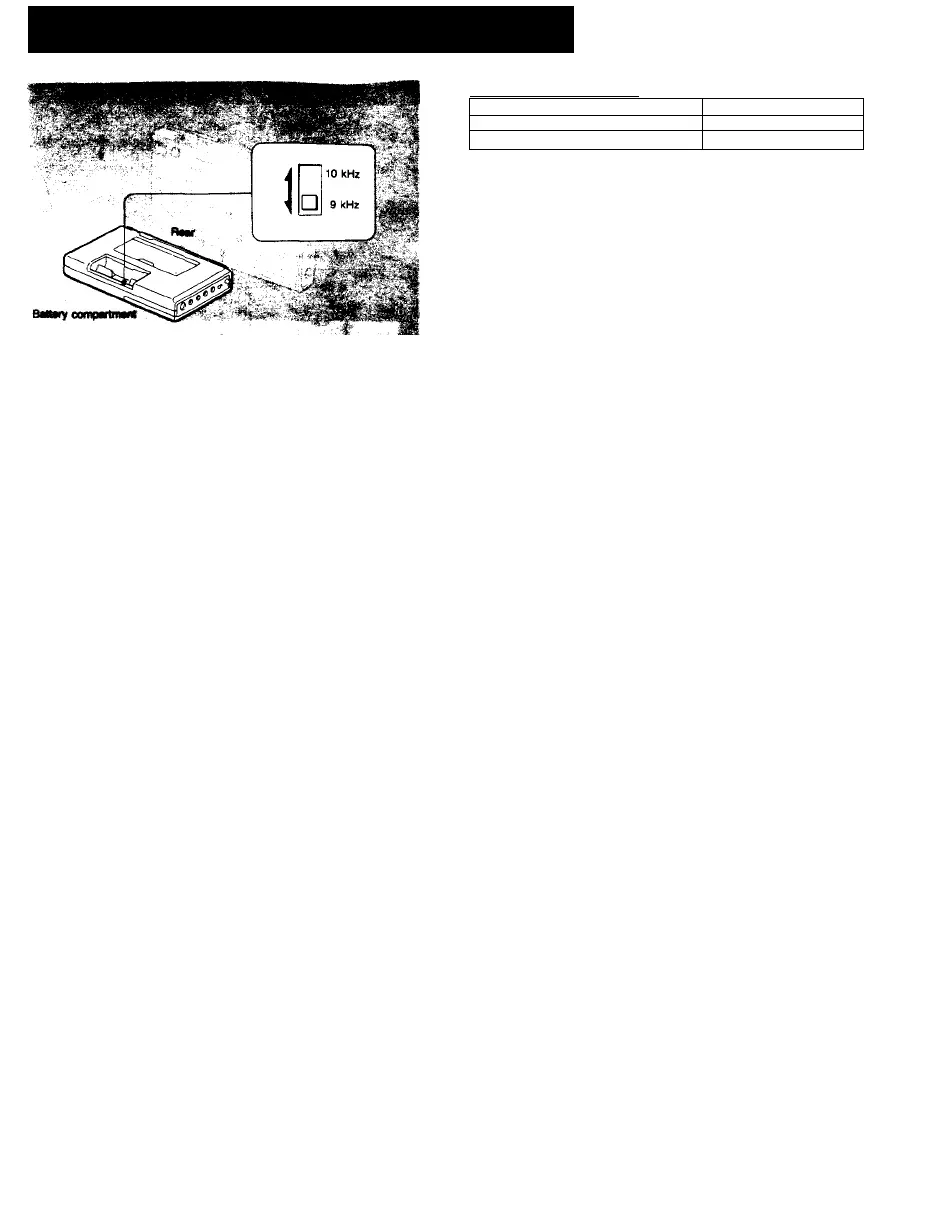
The MW channel step is factory-set to 9 (10) kHz to
match the frequency allocation system of the country. If
you use the radio where the frequency allocation system
is based on a 10 (9) kHz interval, set the MW CH STEP
selector in the battery compartment to 10 (9) kHz.
1 Set POWER/LOCK to LOCK.
2 open the battery compartment and take out the
batteries.
3 Change MW CH STEP.
4 Install the batteries and close the battery
compartment.
5 Set POWER/LOCK to POWER.
The frequency allocation of the area
Area
Frequency allocation system
North America, South America
10 kHz step
Other countries
9 kHz step
Notes
Change the MW CH STEP within 10 minutes
If more than 10 minutes have passed after batteries were removed, the
current time will be erased. In this case, set the time again.
The preset stations will be erased
When you change the MW channel step, the preset stations will be erased.
In such a case, preset the Nations again.







 To Next Page