Help Guide
print.html[3/31/2021 7:15:59 AM]
[3] Remote control | Remote control
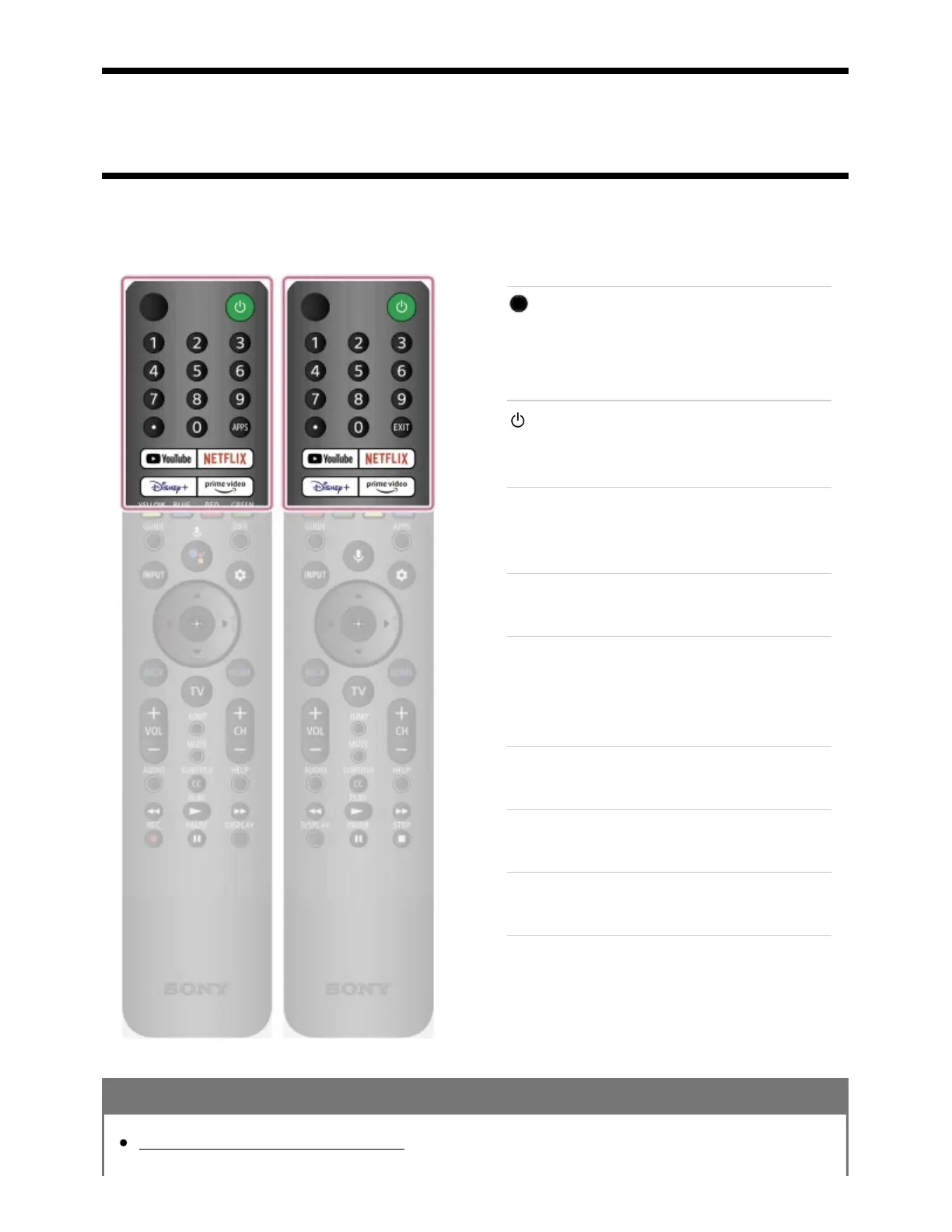
Upper buttons on the remote control
The included remote control, as well as the layout of the buttons, button names, and available services,
vary depending on your model/country/region.
(MIC)
Speak into here to use the microphone in the
remote control. There is an LED above the
microphone.
(Power)
Turns on or switches to standby/networked
standby mode.
Number Button/・(Dot)
Use with the 0-9 buttons to select digital
channels.
APPS
Display a list of installed apps.
EXIT
Return to the previous screen or exit from the
menu. When an Interactive Application service
is available, press to exit from the service.
YouTube™
Access the “YouTube™” online service.
Disney+
Access the “Disney+” online service.
NETFLIX
Access the “NETFLIX” online service.
Prime Video
Access the “Prime Video” online service.
Related topics
Middle buttons on the remote control



 To Next Page