Help Guide | Connecting a computer and viewing stored content
04-03_02.html[3/31/2021 7:19:45 AM]
Help Guide
>
Using the TV with Other Devices
>
Computers, cameras, and camcorders
>
Connecting a computer and viewing stored content
Print
Connecting a computer and viewing
stored content
To connect a computer
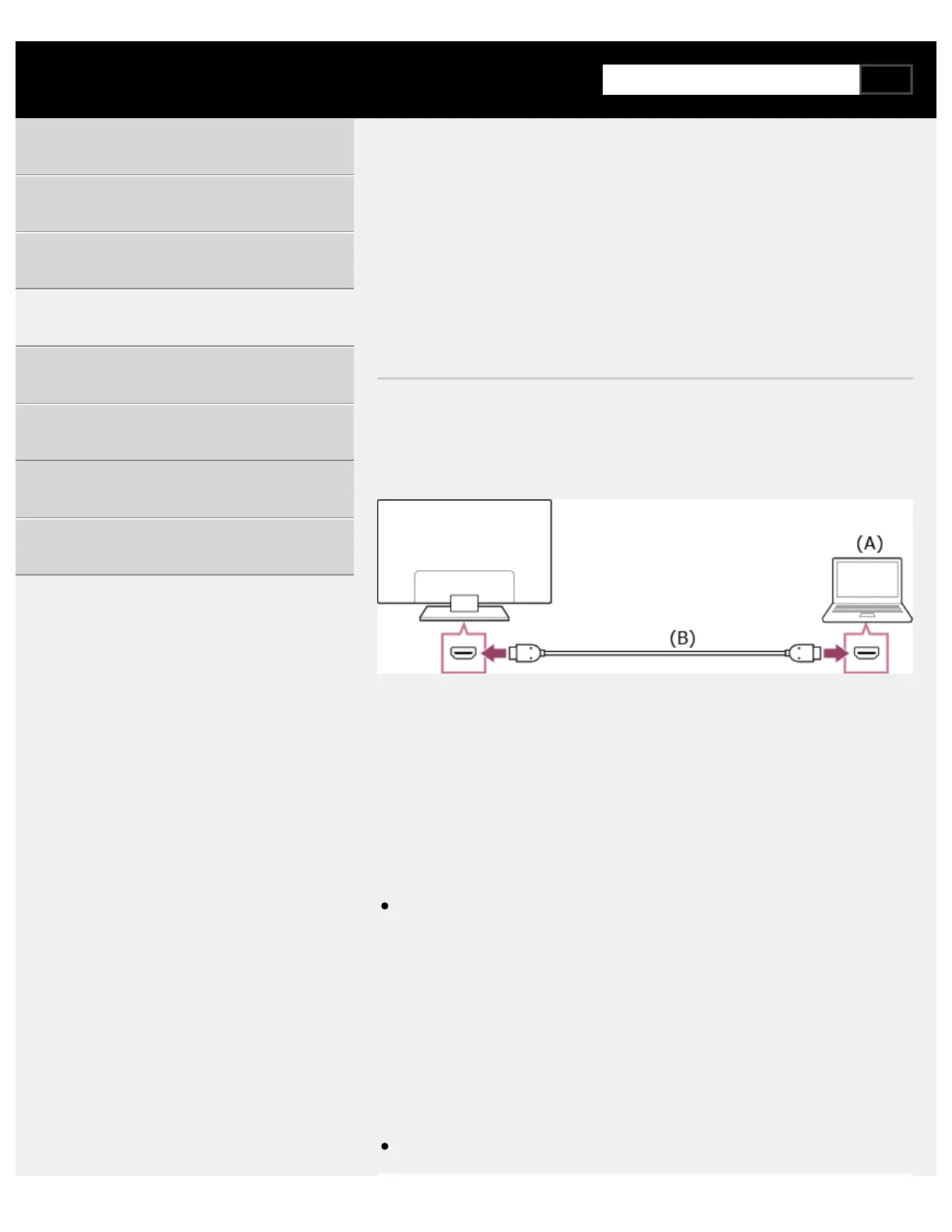
Use an HDMI cable to connect your computer to the TV.
(A) Computer
(B) HDMI cable (not supplied)
Be sure to use an authorized Premium High Speed HDMI Cable(s)
bearing the HDMI logo.
To check the video signal specifications
Computer video signal specifications
To view content stored on a computer
After connecting the computer, press the HOME button, then select the
input the computer is connected to.
To check the supported file formats
Supported files and formats
Getting Started
Useful features
Watching TV
Using the TV with Other Devices
Connecting to a Network
Settings
Troubleshooting
Index/Other
*
* ™



 To Next Page