Help Guide | Lower buttons on the remote control
01-07-02_12.html[3/31/2021 7:19:03 AM]
Help Guide
>
Getting Started
>
Remote control
>
Lower buttons on the remote control
Print
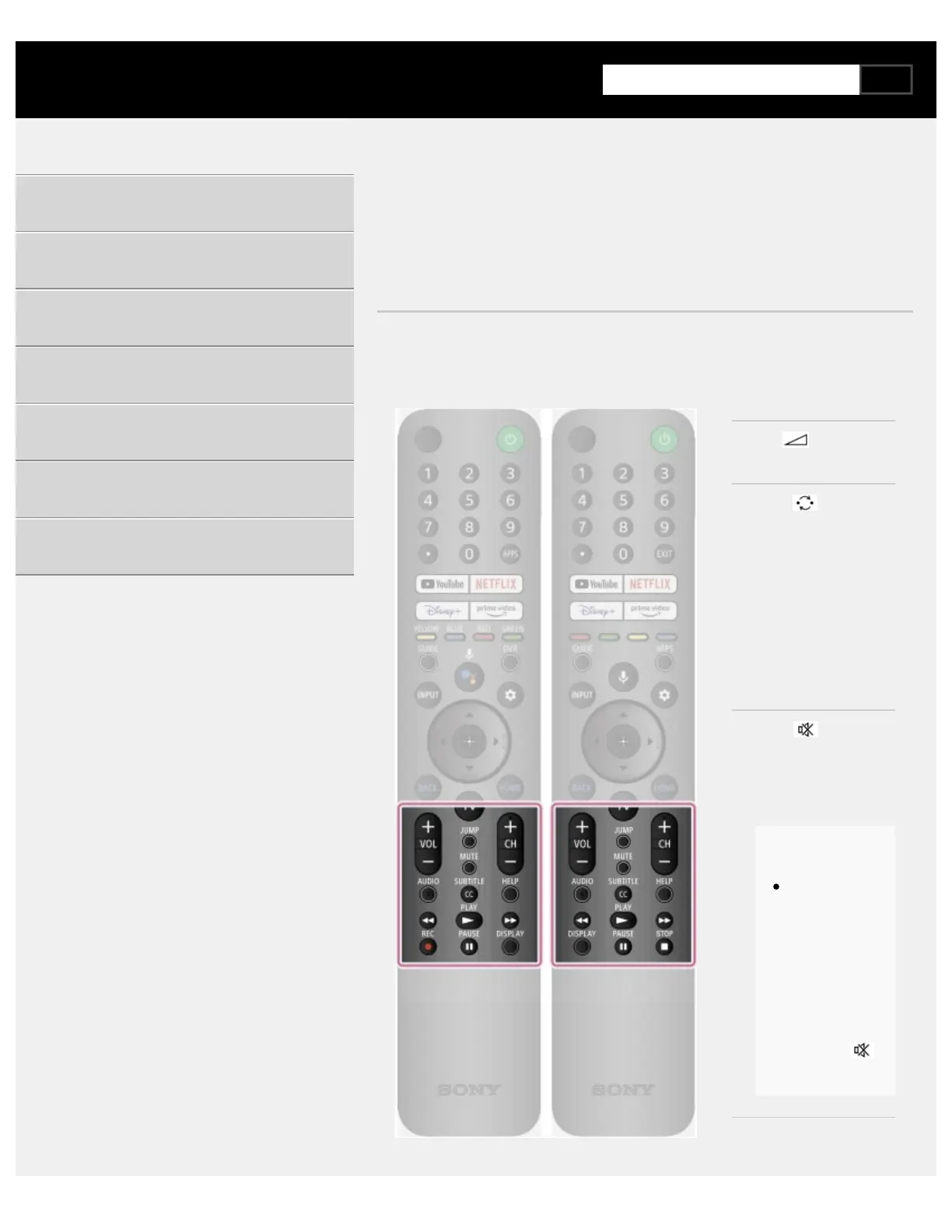
Lower buttons on the remote control
The included remote control, as well as the layout of the buttons and the
button names, vary depending on your model/country/region.
VOL or +/- (Volume)
Adjust the volume.
JUMP or (Jump)
Jump back and forth
between two channels
or inputs. The TV
alternates between
the current channel or
input and the last
channel or input that
was selected.
MUTE or
(Mute)
Mute the sound.
Press again to restore
the sound.
Hint
The
accessibility
shortcut
service can be
turned on or
off by pressing
and holding
MUTE or
(Mute).
CH +/- (Channel)
Select the channel.
Getting Started
Useful features
Watching TV
Using the TV with Other Devices
Connecting to a Network
Settings
Troubleshooting
Index/Other



 To Next Page