EasyManua.ls Logo

Sony KF-42E200A - Page 10

Sony KF-42E200A
114 pages
Print Icon
To Next Page IconTo Next Page
To Previous Page IconTo Previous Page
Loading...
KF-42E200A/42E201A/50E200A/50E201A
10
CLEARING THE SELF-DIAGNOSTIC SCREEN
The self-diagnostic results displayed on the screen are not cleared automatically, therefore you should always check the self-diagnostic screen during
repairs. When you have completed the repairs, clear the self-diagnostic screen to reset the results to “0”.
Note: The self-diagnostic function will not be able to detect any subsequent faults after completion of the repairs unless the Self-Diagnostic
result display is cleared to reset the results to “0”.
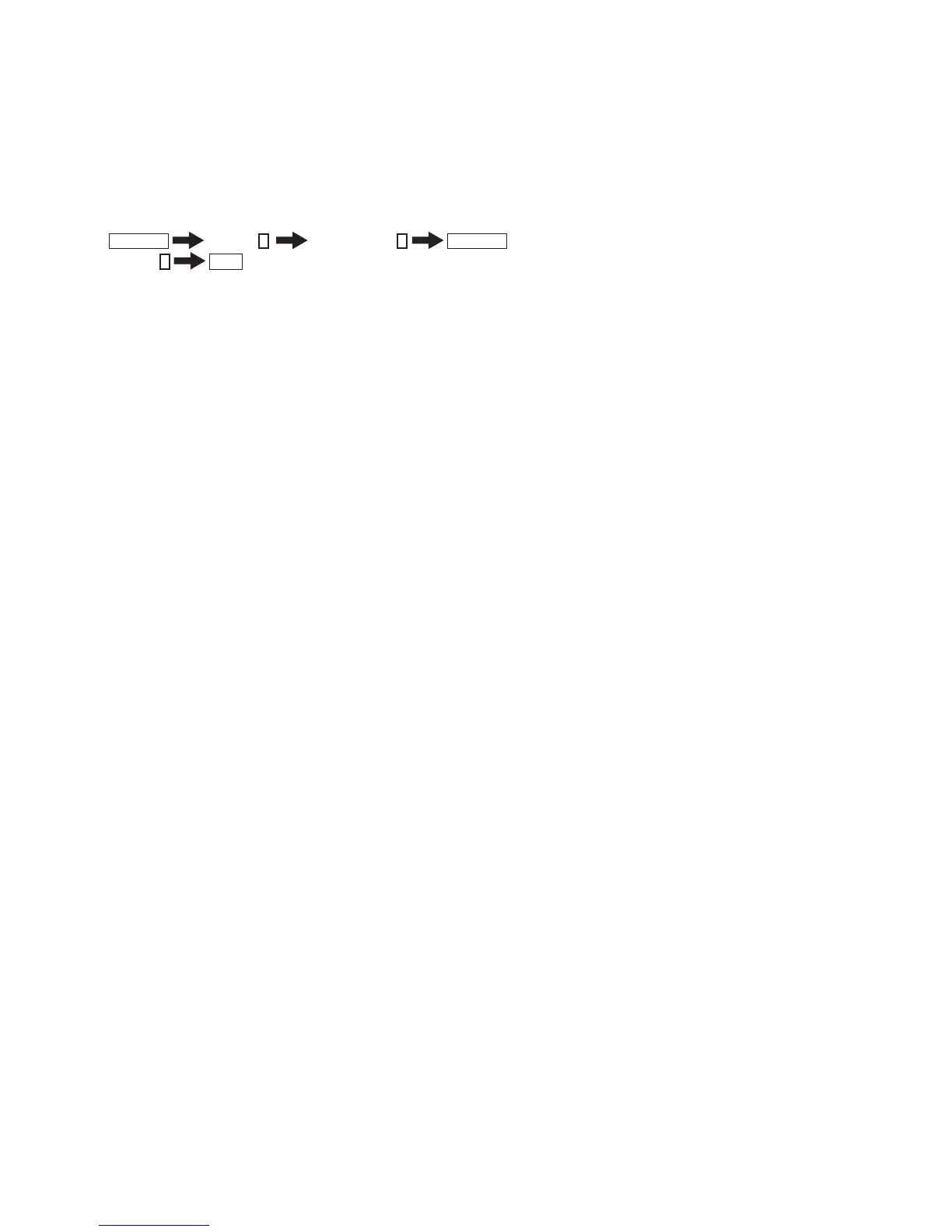
1. If the Self-Diagnostic screen is already displayed, proceed to step 3. If not, Power off (Set to Standby mode).
2. Press
DISPLAY
Channel
5
Sound Volume
-
POWER
3. Press Channel
8
ENT
The status in the upper right corner changes to “WRITE”. When the operation is complete, the status returns to “SERVICE” and the Self-Diagnostic
screen is reset.
4. To exit the Self-Diagnostic screen, turn the power off.
SELF-DIAGNOSTIC FUNCTION OPERATION
   
!"#$
%&'**+
/6762
##/6$%&'**
+

7  9:;
9<
=*:#+
+%&#>
*7$**?+

!  @B @%F@G'<HJF&'#7K*
7$**?FF+

>  9: F9GM<'<HJF#>#7$+
*F9GM<'/&'QBF#>7$?
*:*:+

  9?69&< UU6X#+>&Z#[*&'?**
?+

  9?6J&< ::*UU6X#+>&Z#*&'?
**?+

9GM<  9 UU9GM<'<HJZ#>#*7$%&$>&$
*Q9
**+
*UU9GM<'/&'QBZ#>*7$
*+

Table of Contents

Related product manuals