KF-42E200A/42E201A/50E200A/50E201A
KF-42E200A/42E201A/50E200A/50E201A
19
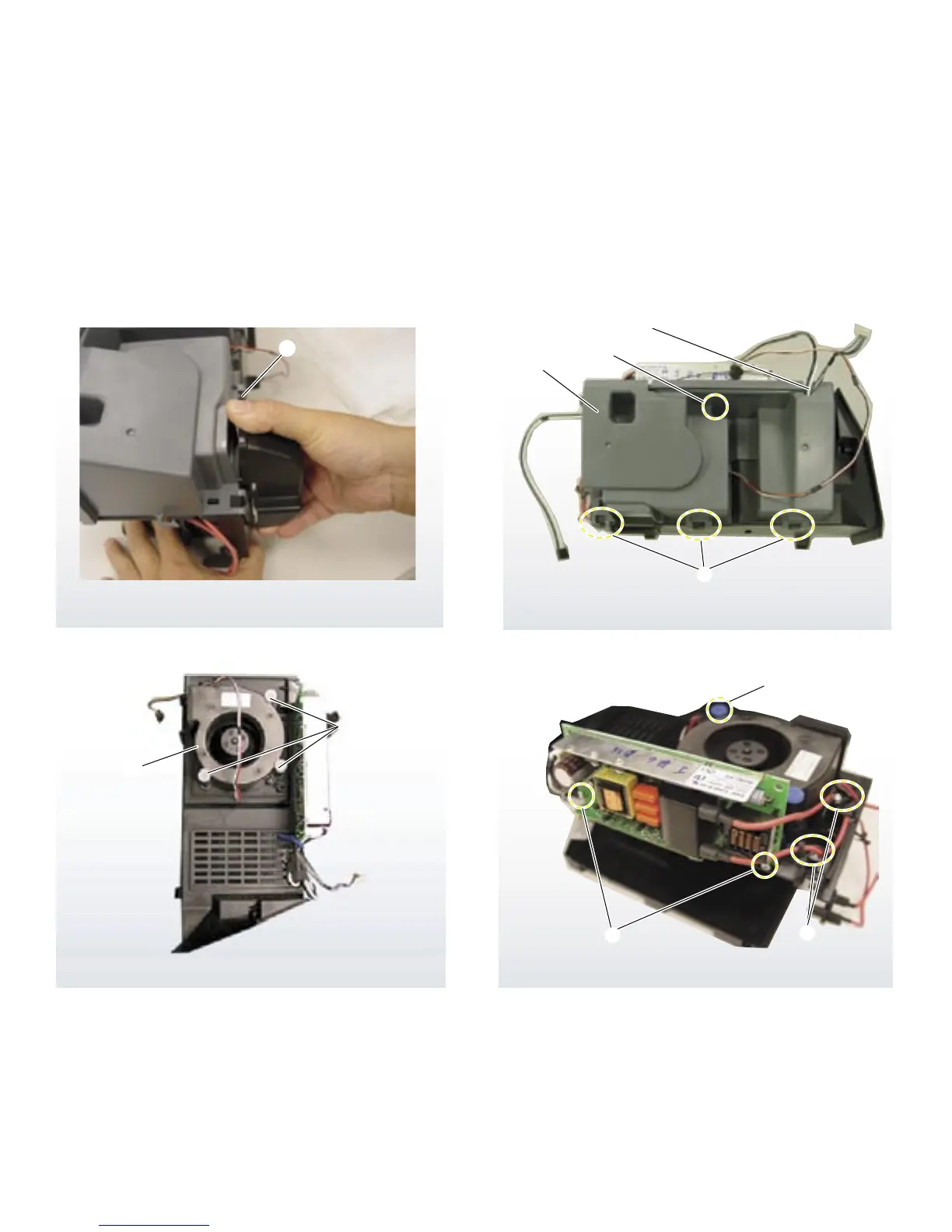
Lamp duct cover
Note position of wires
Note: Watch for
fan grommets
NOTE:
Reinsert the
fan grommets
when replacing
the fan
2
3
4
5
6
1
1
From the inside of the assembly, release the 3 claws
securing the fan duct, then remove the fan duct by grasping
as shown.
2
Remove 1 screw.
3
Release 3 clips to detach cover.
4
Remove Fan.
5
Release wire from wire holders.
6
Remove 2 screws.
1-6-2. LAMP DRIVER FAN REMOVAL


 To Next Page