12 Advanced Operations
Sony KV-DA29M90 Group E6 (GB, CT, CS)_2-515-454-11 (1)
Advanced Operations
Selecting the sound mode
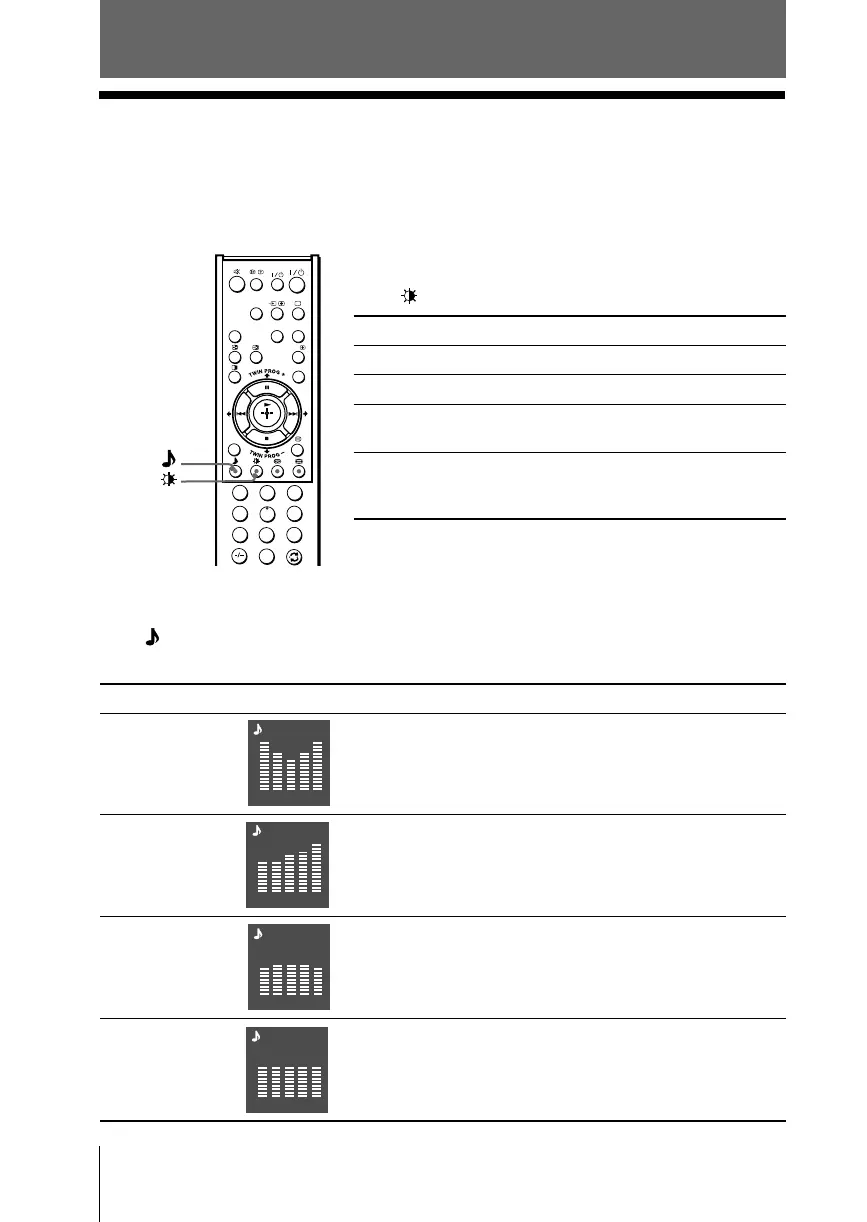
Press (or SOUND MODE on the front panel) to select the desired sound mode.
5-Band Graphic Equalizer display will appear.
Select To listen to
“Dynamic” dynamic and clear sound that emphasizes both the low
and high tones.
“Drama” sound that emphasizes voice and high tones.
“Soft” soft, natural and relaxing sounds.
“Personal” the last adjusted sound setting from the
“Sound Adjustment” option in the menu (see page 22).
x Selecting the picture and sound
modes
You can select picture and sound modes and adjust the setting to your
preference in the “Personal” option.
Selecting the picture mode
Press to select the desired picture mode.
Select To view
“Dynamic” high contrast pictures.
“Standard” normal pictures.
“Hi-Fine” higher density pictures with mild
contrast.
“Personal” the last adjusted picture setting
from the “Picture Adjustment”
option in the menu (see page 20).
Dynamic
100 300 1k 3k 8k
100 300 1k 3k 8k
Drama
100 300 1k 3k 8k
Soft
100 300 1k 3k 8k
Personal
1
2
3
4
6
7
8
9
0
5
HD/DVD
VIDEO
DRC-MF
PROG
INDEX
CENTER
SP
WEGA
THEATRE
A/B
MENU







 To Next Page