4
Sony KV-DA29M90 Group E6 (GB, CT, CS)_2-515-454-11 (1)
x Securing the TV
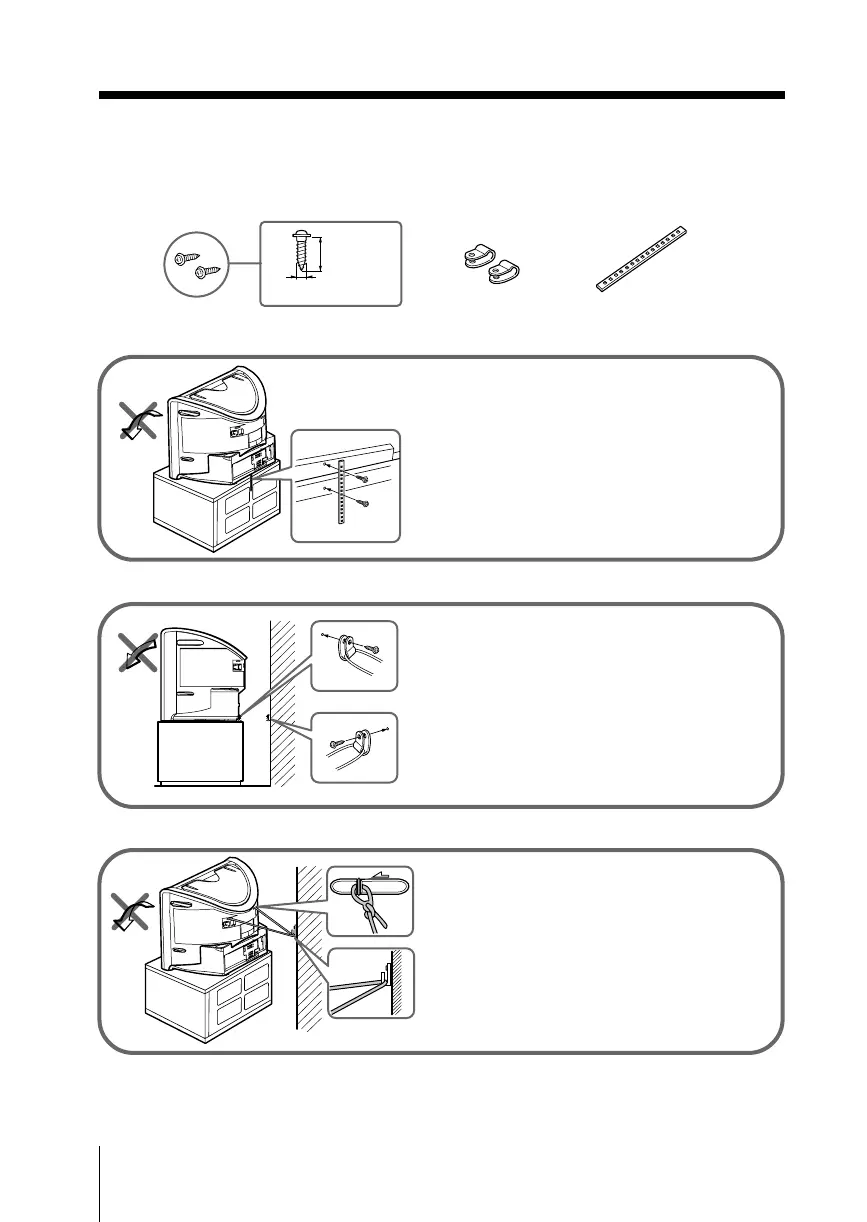
To prevent the TV from falling, use the supplied screws, clamps and band to
secure the TV.
20 mm
3.8 mm
screws clamps band
Screw the band to the TV stand and to the
provided hole at the rear of your TV.
(1) Put a cord or chain through the clamps.
(2) Screw one clamp to a wall or pillar and
the other clamp to the provided hole at
the rear of your TV.
(1) Attach each end of a cord or chain to
the provided holders at the rear of
your TV.
(2) Securely fix the attached cord or chain
to a wall or pillar using an attachment
which can support the TV set weight.
Note
• Use only the supplied screws. Use of other screws may damage the TV.
or
or







 To Next Page