25
Menu Adjustment
Sony KV-DA29M90 Group E6 (GB, CT, CS)_2-515-454-11 (1)
Presetting channels manually
1
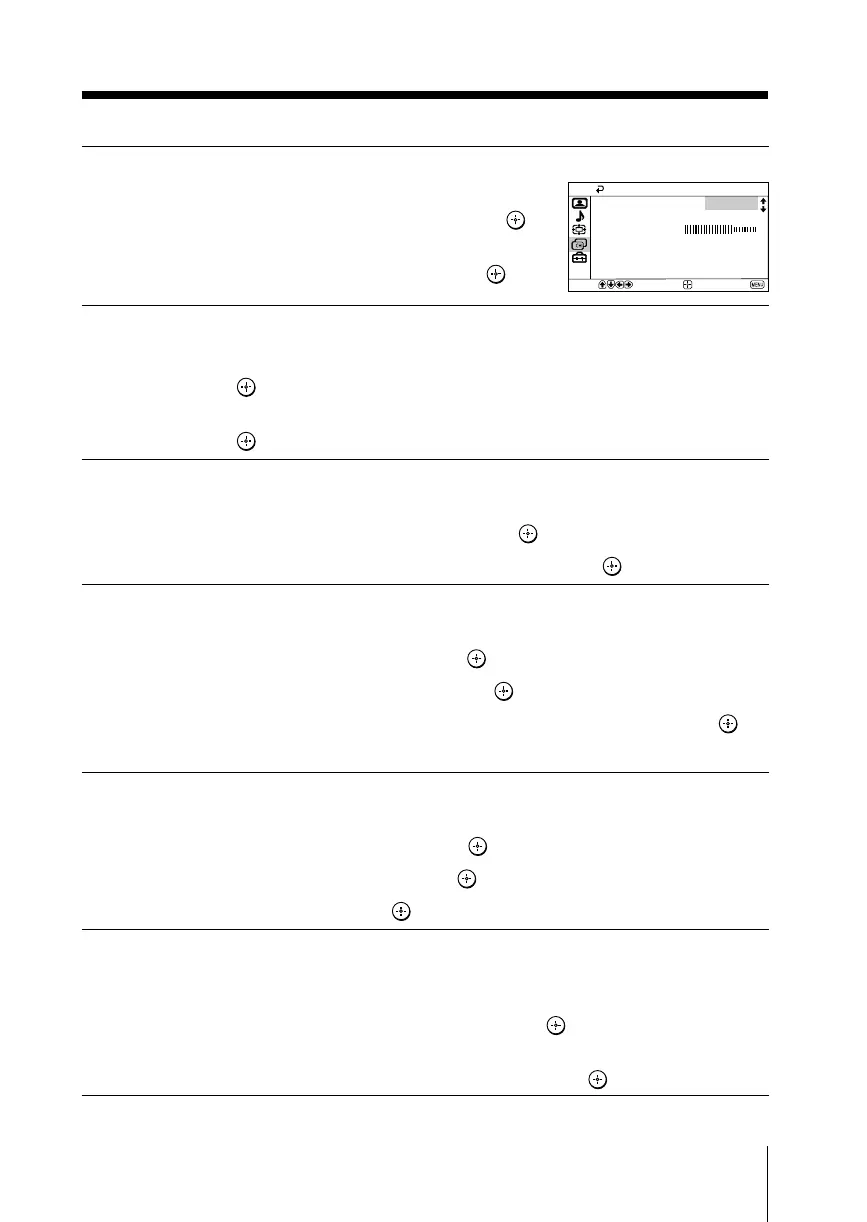
After selecting “Manual Program”, select the program
number to which you want to preset a channel.
(1) Make sure “Program” is selected, then press .
(2) Press V or v
until the program number you want
to preset appears on the menu, then press
.
2
Select the desired channel.
(1) Make sure either “VHF Low”, “VHF High” or “UHF” is selected,
then press .
(2) Press V or v until the desired channel’s broadcast appears on the TV screen,
then press
.
3
If the sound of the desired channel is abnormal, select the appropriate TV
system.
(1) Press V or v
to select “TV System”, then press .
(2) Press V or v
until the sound becomes normal, then press .
4
If you are not satisfied with the picture and sound quality, you may be able
to improve them by using the “Fine” tuning feature.
(1) Press V or v
to select “Fine”, then press .
(2) Press V or v
to select “Manual”, then press .
(3)
Press V,v,B or b until the picture and sound quality are optimal, then press .
The + or – icon on the menu flashes while tuning.
5
If you want to skip this program number when using PROG +/–, you can
select the “Skip” feature.
(1) Press V or v
to select “Skip”, then press .
(2) Press V or v
to select “On”, then press .
To cancel, select “Off”, then press
.
6
If the TV signal is too strong (picture distorted; picture with lines; signal
interference) or weak (snowy picture), you may be able to improve the
picture quality by setting the “Signal Booster” feature.
(1) Press V or v
to select “Signal Booster”, then press .
(2) Press V or v
to select “Off” (for picture distorted; picture with lines; signal
interference) or “Auto” (for snowy picture), then press
.
VHF Low
Fine:
Skip:
Signal Booster:
Auto
Off
Auto
Select
End
Confirm
Manual Program
Program:
01
TV System:
B/G







 To Next Page