masterpage:Right
filename[D:\MVC-CD1000 kaihan\3062473121\3062473121MVCCD1000UC\02GB-
MVCCD1000UC\05bas.fm]
B
BB
B Playback
35
model name1[MVC-CD1000]
[3-062-473-12(1)]
Viewing images
When you view images on the disc which has not been finalized, you have to install
DirectCD included in the supplied CD-ROM. For details on DirectCD, refer to the
software operating instructions of DirectCD.
For Windows 98 users
2
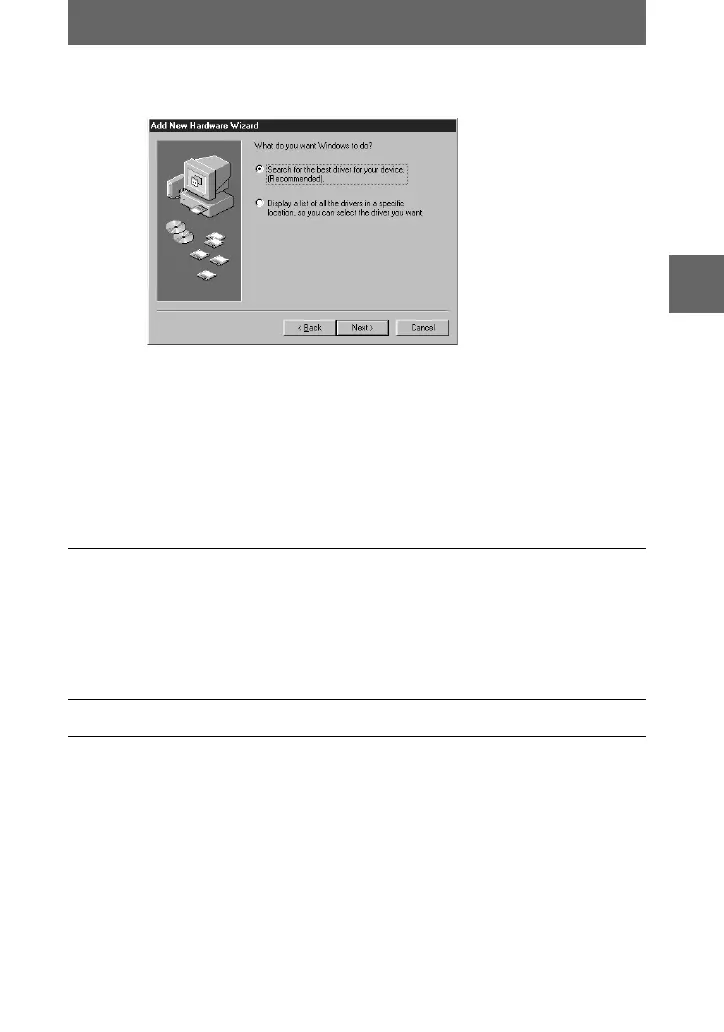
Select the option [Search for the best driver for your device.
[Recommended].] in the window, then click [Next].
3
Check that the option [CD-ROM] is selected, then click [Next].
4
After the location of the driver is searched, click [Next].
File copy starts.
5
After [Windows has finished installing the software that your new
hardware device requires.] is displayed, click [Finish].
The Add Hardware Wizard starts twice because two different USB
drivers are installed. Repeat steps 1 to 5 again.
1
Turn on your personal computer and allow Windows 98 to load.
01cov.book Page 35 Wednesday, July 19, 2000 10:33 AM



 To Next Page
 Loading...








