3
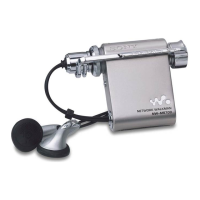
MC-S50
1-1. Introduction
This document describes the “operation check for inspection (Test mode)” and “adjustment after board replacement for repair”.
In performing these works, connect this set to the PC via a USB cable and use the following tool.
Tool list
Ref. No. Tool name Part code Application
1 Service Tool 9140 (FD) J-2507-037-1 Board check (Test mode) and readjustment after board replacement
1-2. Board Repair
1. In performing the work, the set should be in a complete state (all components assembled).
2. Install the “OpenMG Jukebox” and “WMP7 Plug-in” (CD-ROM) in the PC in advance.
3. Do not start up other applications in the PC.
4. This set has the Test mode, and the use of exclusive application (Service Tool) on the PC side enables various function checks and the
voltage adjustment.
5. For the LOGIC board in this set, if either part listed in Table 1 is faulty, be sure to replace the board block. Also, when a part on the
POWER board was replaced or a combination of LOGIC board and POWER board was changed due to the board replacement,
perform 1-5 "Adjustment When Board was Replaced/Repaired".
6. The data in Table 1-2 have been written to the LOGIC board.
7. In repairing other than above parts, repair as usual.
Table 1-1.
Board name Ref. No
LOGIC board IC601, IC602, IC603, IC901
Table 1-2.
Board name Stored data
LOGIC board Music data, Battery adjustment value, Equalizer initial values, CODEC programs, and ID/IK codes
1-3. Operation Check for Inspection (Test Mode)
Precautions
1. Be sure to remove the battery from this set. (The power is supplied via USB cable)
Operating the set in the Test mode with the battery loaded could clear necessary information.
2. If operation check was performed for inspection, execute “Play Info Initialize” in qd (see page 7) to return respective functions to
initial positions (see Table 1-5 on page 7). In such a case, record current position of each function before executing “Play Info
Initialize” in qd, if necessary.
SECTION 1
SERVICING NOTES



 To Next Page