EasyManua.ls Logo

Sony MDP-A1 - Troubleshooting Common Problems; Diagnosing Playback and Quality Issues

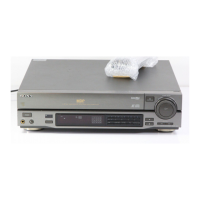
Sony MDP-A1
48 pages
Print Icon
To Next Page IconTo Next Page
To Previous Page IconTo Previous Page
Loading...
Additional
Information
This
section
contains
information
that
will
help
you
if
you
have
problems
with your
player.
It
also
contains
maintenance
information
and
glossary.
Troubleshooting
Check
the
following
before
requesting
service.
¢
AC
Power
cable
properly
connected?
PLAY
(>)
button
or
Number
keys|
+
Disc
inserted?
do
not
produce
playback.
*
Disc
property
seated?
¢
Recorded
site
facing
upward?
>
indicator
is
lit,
but
there
is
no
|
*
TV or
monitor
switched
on?
picture
or
sound.
¢
TV
properly
connected
to
player?
°
The
input
selector
on
TV
set
to
“Video?
Poor
picture
or
sound
quality
e
TV
properly
connected?
©
Any
source
of
noise
nearby?
¢
Disc
dirty
or
scratched?
Remrate
Commander
does
not
operate.
¢
Any
condensation
on
player
objective
lens?
Picture
distorted
during
scan.
¢
Some
distortion
in
the
lower
part
of
the
picture
is
normal
-
even
for
CAV
discs.
e
TV
properly
connected
to
player?
No
sound
from
microphone
e
MIC
LEVEL
control
is
MIN?
*
Microphone
switch
is
ON?
e
Connecting
to
amplifier
with
a
Fiber
Optical
Cable?
*
Volume
control
on
TY,
monitor,
ot
amplifier
tugh
enough?
¢
Playback
at
normal
speed?
(The
player
produces
sound
only
during
normal
Shuftte,
Delete
Shuffle
or
Auto
|
*
(LD)
QUICK
START
indicator
is
off?
Program
does
not
function
on
The
AV
Calendar
appears?
speed
playback.)
an
Lo.
¢
The
LD
contains
TOC
data?
*
Batteries
correctly
inserted?
¢
Batteries
weak?
¢
Any
obstacles
between
the
Remote
Commander
and
the
Sensor
on
the
player?
¢
The
Remote
Commander
is
pointed
at
the
sensor
on
the
player?
44
Additional
information

Table of Contents

Related product manuals