Chapter 3 Preparations
3-12 Chapter 3 Preparations
3-5-1 Cassette Types
This unit uses the following MPEG IMX cassettes for
both recording and playback.
MPEG IMX cassettes
The following tapes can be used for playback only.
•Digital Betacam cassettes
•Betacam SX cassettes
•Betacam SP cassettes (metal tape)
•Betacam cassettes (oxide tape)
3-5 Cassettes
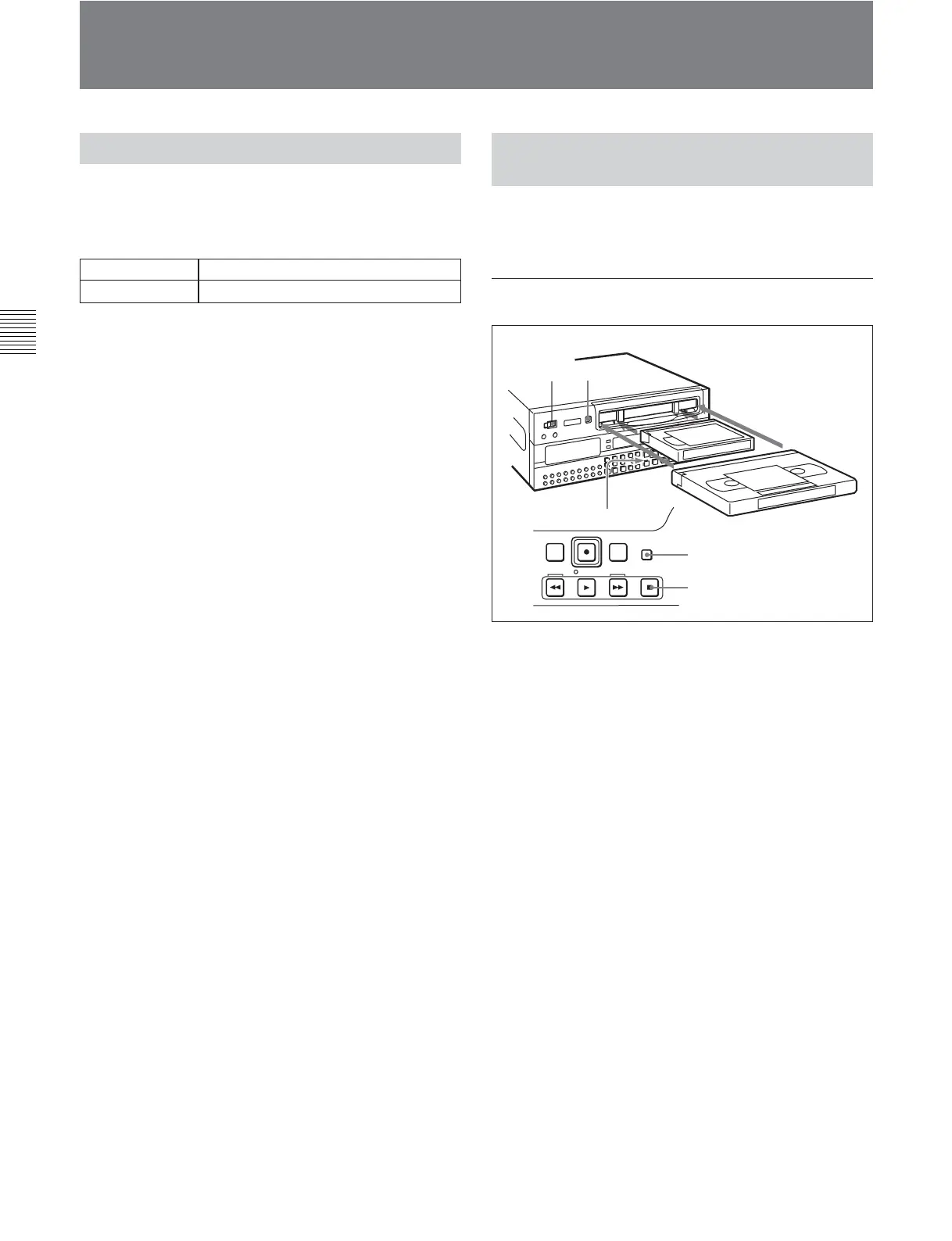
1
2
F FWDREW
PLAY
STOP
STANDBY
Large cassette
STOP button
STANDBY button
Small cassette
EJECT button
Small cassettes BCT-6MX/12MX/22MX/32MX/60MX
Large cassettes BCT-64MXL/94MXL/124MXL/184MXL
3-5-2 Inserting and Ejecting
Cassettes
It is not possible to insert or eject a cassette unless the
unit is powered on.
Inserting a cassette
1 Turn the POWER switch on.
2 Check the following points, then insert the cassette
in the orientation shown in the figure.
•Check that message “ERR-10” is not shown in
the time data/menu display section.
•Check that there is no slack in the tape.
The cassette is drawn into the unit, and the
STANDBY and STOP buttons light.
If message “ERR-10” appears in the time data/menu display
section, there is moisture condensation in the unit.








 To Next Page