Getting Started
45
Presetting channels
filename[010get.fm] model name1[SLV-N81] model name2[SLV-N71]
[3-065-551-11 (1)]
Tip
• If you want to return to the previous menu, highlight RETURN and press OK.
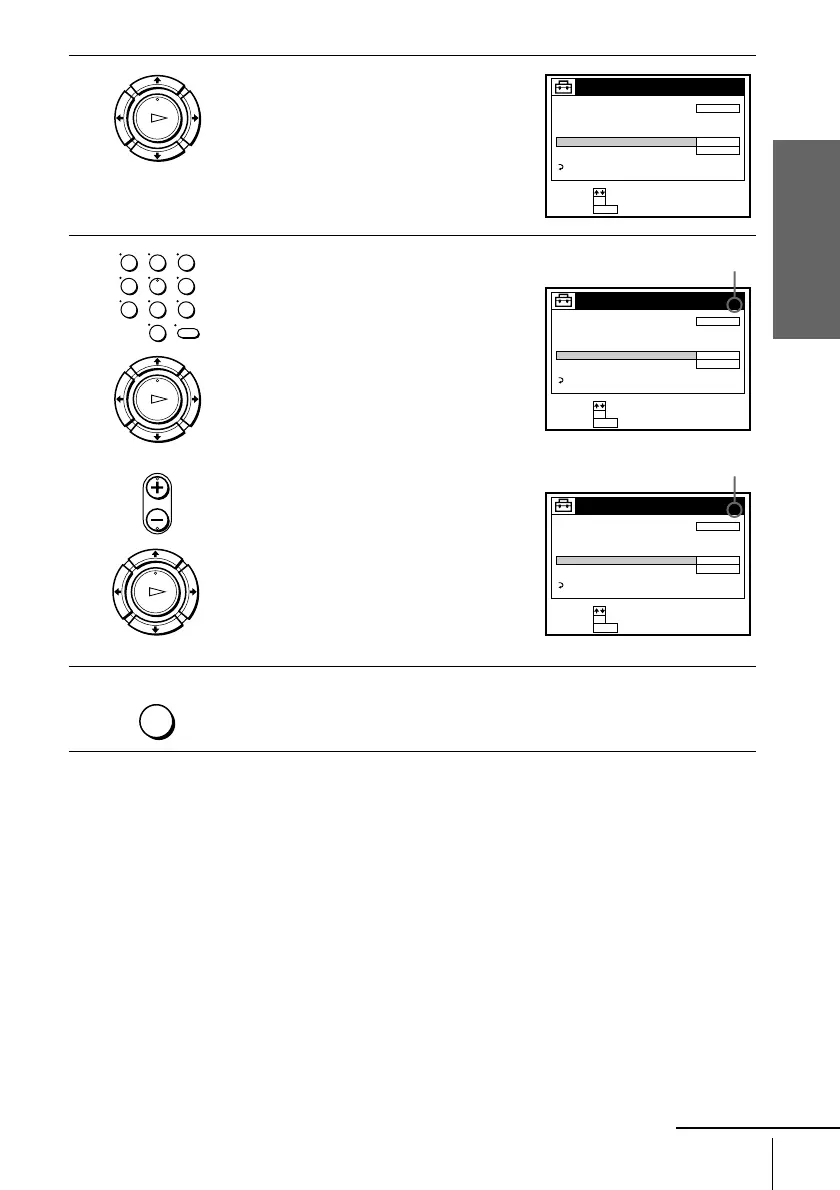
2
Press M/m to highlight TUNER PRESET,
then press OK.
3
• To preset a channel:
1 Press the number buttons to enter the
channel number, then press ENTER.
2 Press OK.
3 Press M/m to set MANUAL SET to
ADD, then press OK.
• To disable a channel:
1 Press CH +/– to select the channel
number.
2 Press OK.
3 Press M/m to set MANUAL SET to
ERASE, then press OK.
4
Repeat step 3 to preset or disable channels as required, then press MENU.
OK
PLAY
TUNER PRESET
CABLE
ADD
ON
ANTENNA / CABLE
AUTO PRESET
MANUAL SET
AFT
FINE TUNING
RETURN
SET :
SELECT :
OK
MENUQUIT :
CH 1
OK
PLAY
OK
PLAY
• CH
123
456
789
0
TUNER PRESET
CABLE
ADD
ON
ANTENNA / CABLE
AUTO PRESET
MANUAL SET
AFT
FINE TUNING
RETURN
SET :
SELECT :
OK
MENUQUIT :
CH 5
Channel to be preset
TUNER PRESET
CABLE
ERASE
ON
ANTENNA / CABLE
AUTO PRESET
MANUAL SET
AFT
FINE TUNING
RETURN
SET :
SELECT :
OK
MENUQUIT :
CH 5
Channel to be disabled
MENU
continued








 To Next Page