Getting Started
49
Setting up the VCR Plus+® GOLD system (SLV-N81 only)
filename[010get.fm] model name1[SLV-N81] model name2[SLV-N71]
[3-065-551-11 (1)]
Setting up the VCR Plus+ GOLD system automatically (Smart
Channel Mapping)
The VCR can automatically set the guide
channels in your area from ZIP/POSTAL
CODE you entered in EASY SET UP. The
VCR receives the program information
signal and renews the data everyday after you
complete the following procedure.
If you are having trouble setting the guide
channels, or if you have many scrambled
channels, go to page 52 for manual VCR
Plus+ GOLD system set up. Note that the
VCR Plus+ GOLD system does not work
with a digital satellite receiver.
1
Set up the VCR using the EASY SET UP function.
2
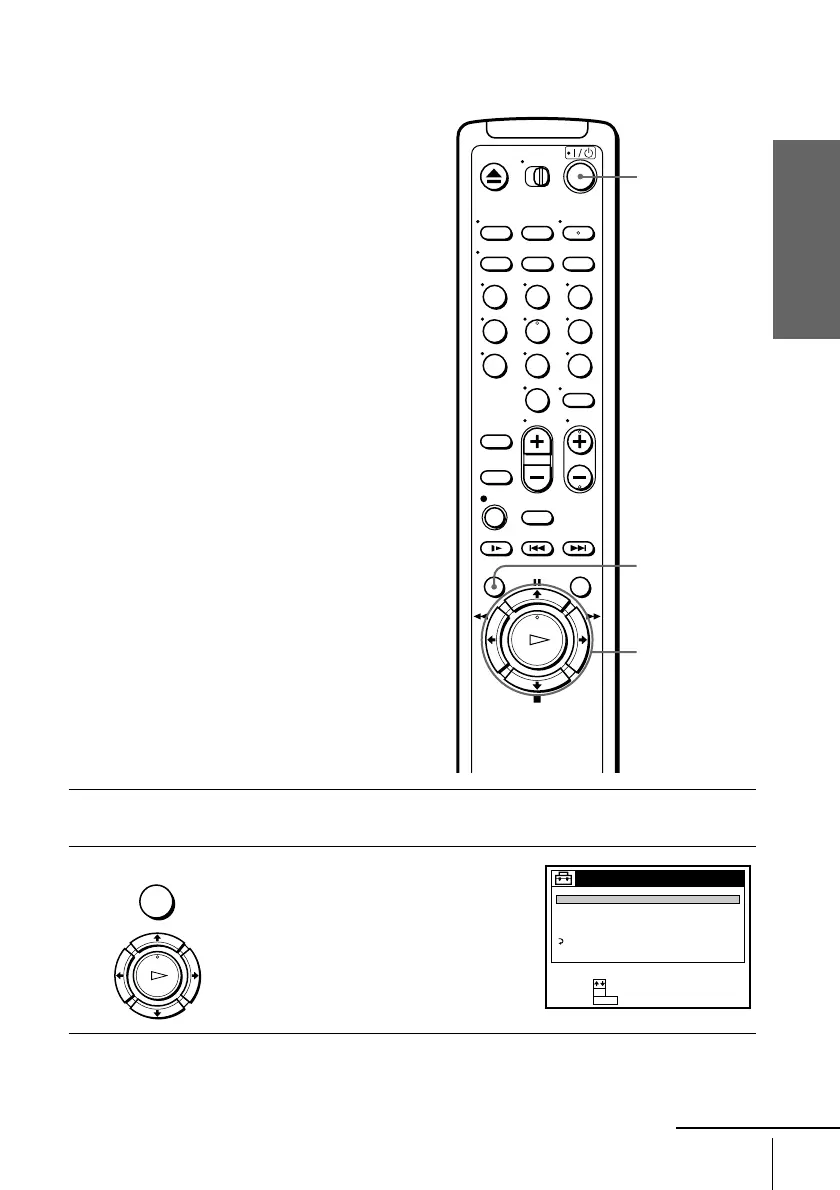
Press MENU, then press M/m to highlight
SETTINGS and press OK.
123
456
789
0
MENU
M/m
OK
?/1
MENU
OK
PLAY
SETTINGS
TUNER PRESET
SET VCR Plus+ sys. CH
CABLE BOX CONTROL
CLOCK SET
LANGUAGE
RETURN
SET :
SELECT :
OK
MENUQUIT :
continued








 To Next Page