77
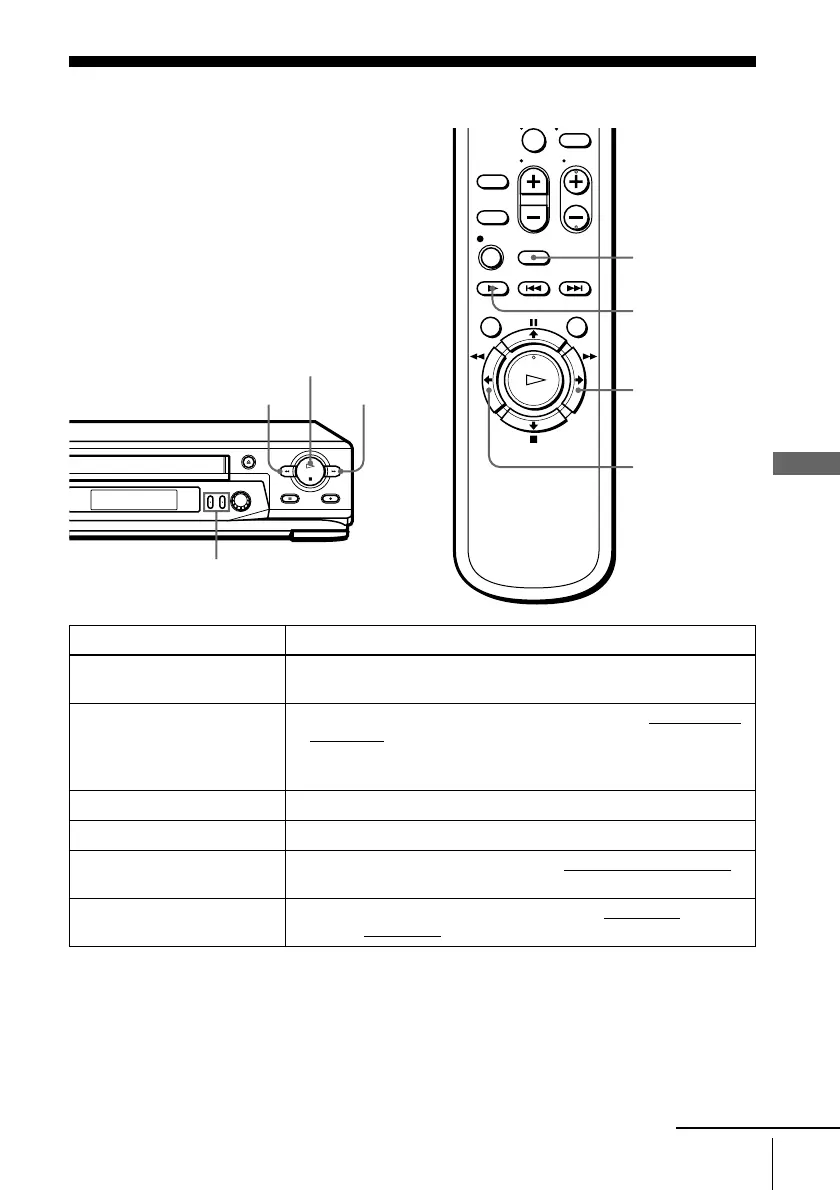
Playing/searching at various speeds
filename[010addo.fm] model name1[SLV-N81] model name2[SLV-N71]
[3-065-551-11 (1)]
Additional Operations
Additional Operations
Playing/searching at various speeds
To resume normal playback
Press H PLAY.
Playback options Operation
View the picture during fast-
forward or rewind
During fast-forward, hold down M FF. During rewind, hold down
m REW.
Play at high speed • During playback, briefly press M FF or m REW on the remote
commander. The tape continues to play at high speed.
• During playback, hold down M FF or m REW. When you
release the button, normal playback resumes.
Play at twice the normal speed During playback, press ×2.
Play in slow motion During playback or pause, press y SLOW.
Play frame by frame During pause, press M FF or m REW on the remote commander
.
Hold down the button to play one frame each second.
Rewind and start play While the tape is stopped, hold down m REW on the VCR
and press
H PLAY on the VCR
.
0
y SLOW
x2
M FF
m REW
H PLAY
m REW
M FF
TRACKING +/–
continued








 To Next Page