Getting Started
57
Setting up the VCR Plus+® system (SLV-N71 only)
filename[010get.fm] model name1[SLV-N81] model name2[SLV-N71]
[3-065-551-11 (1)]
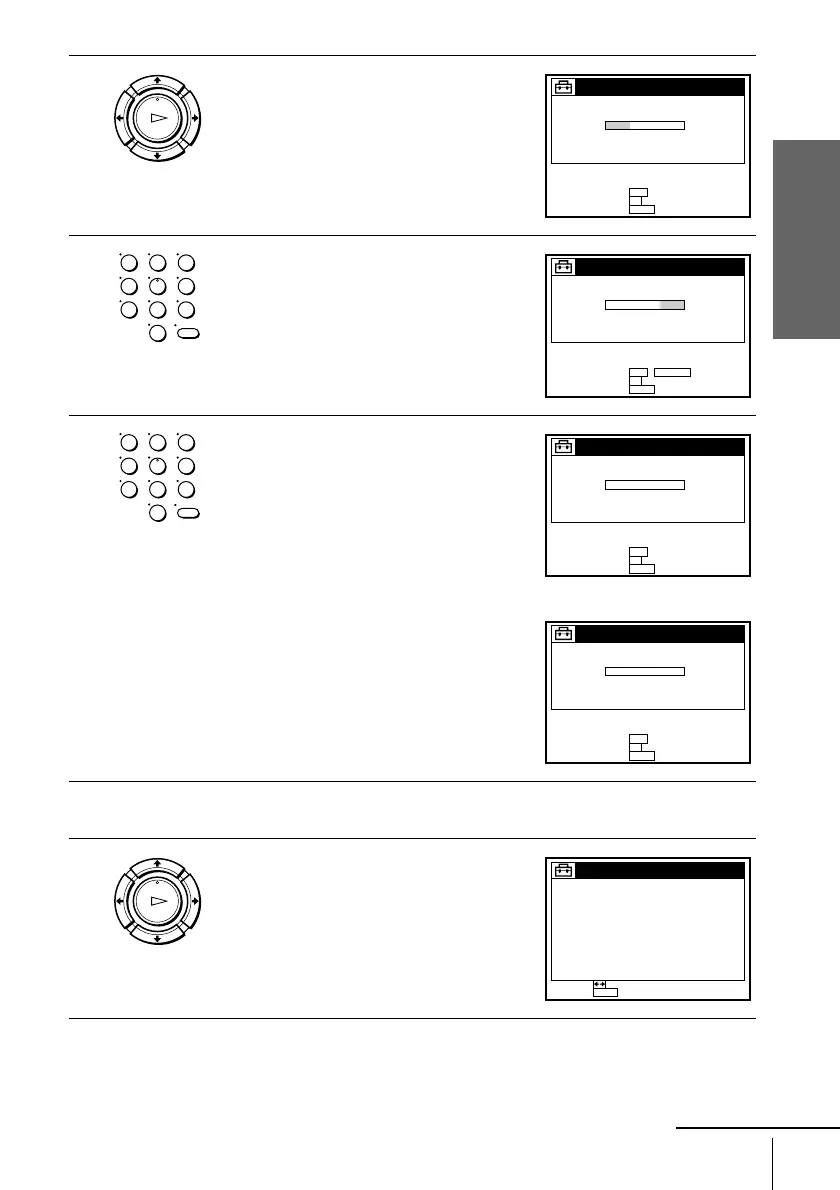
2
Press M/m to highlight SET VCR Plus+
sys. CH, then press OK.
3
Enter the guide channel number assigned in
the program guide and press ENTER.
4
• If you made Hookup 3 or 4: Enter the
actual number on your TV (and VCR)
and press ENTER.
• If you made Hookup 5: Enter the cable
box output channel (usually 2, 3, or 4)
and press ENTER.
5
Repeat steps 3 and 4 for each channel number that does not match.
6
When you have set all channels, press OK
to confirm your channel settings.
To return to the previous page, press <.
To go to the next page, press ,.
OK
PLAY
LIST :
SET GUIDE CH :
OK
0–9
GUIDE CH TV CH
–––––
SET VCR Plus+ sys. CH
QUIT :
MENU
123
456
789
0
LIST :
SET TV CH :
OK
0–9
GUIDE CH TV CH
–5252
SET VCR Plus+ sys. CH
QUIT :
MENU
ENTER
123
456
789
0
LIST :
SET GUIDE CH :
OK
0–9
GUIDE CH TV CH
–5285
SET VCR Plus+ sys. CH
QUIT :
MENU
LIST :
SET GUIDE CH :
OK
0–9
GUIDE CH TV CH
–523
SET VCR Plus+ sys. CH
QUIT :
MENU
OK
PLAY
SET VCR Plus+ sys. CH LIST
PAGE :
MENUQUIT :
PAGE1
GUIDE TV
– 5525
GUIDE TV
– 0319
– 6395 – 7839
– 2184 – 2588
– 734 – 8958
– 8693 – 00128
– 51143 – 697
– 8552 – 32147
– 571 – 3617
– 525 – 9586
– 372 – 8466
continued








 To Next Page