81
Checking/changing/canceling timer settings
filename[010addo.fm] model name1[SLV-N81] model name2[SLV-N71]
[3-065-551-11 (1)]
Additional Operations
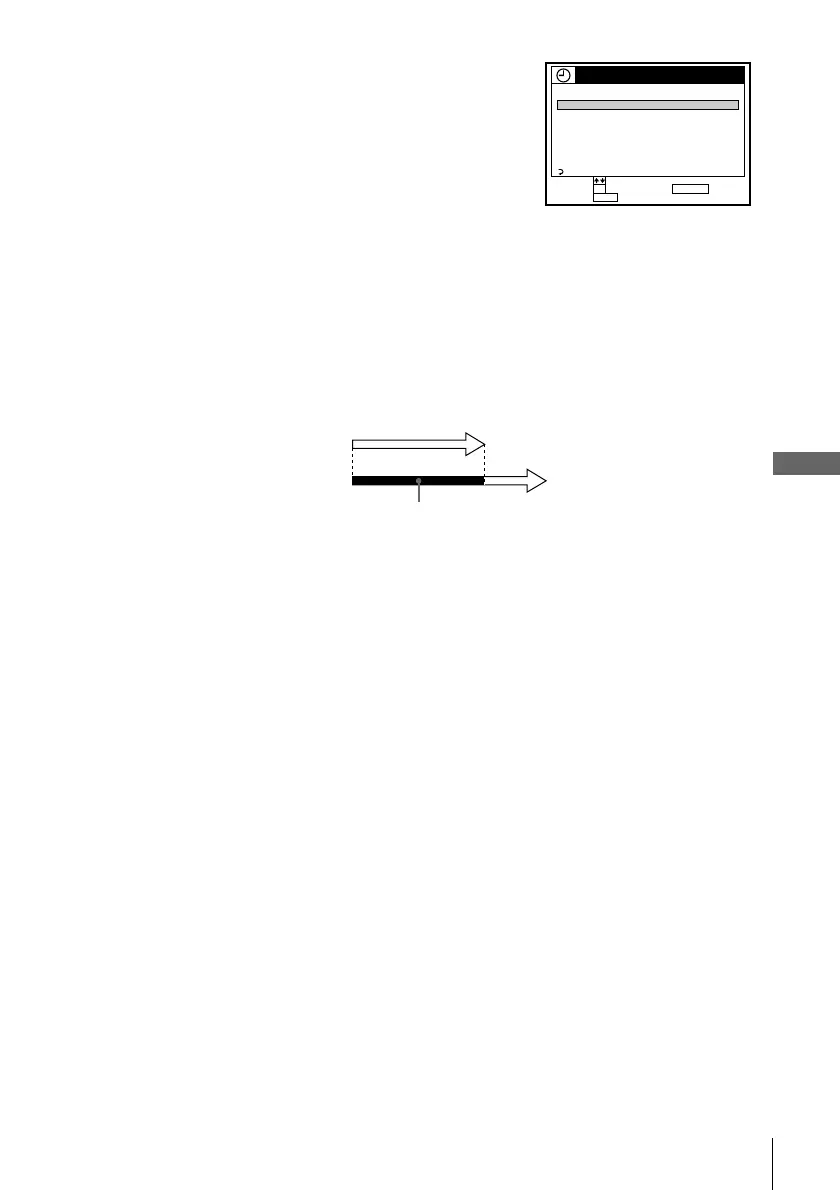
When the timer settings overlap
The program that starts first has priority and the second program starts recording only
after the first program has finished. If the programs start at the same time, the
program listed first in the menu has priority.
3
Press M/m to highlight the setting you want to
change or cancel.
• To change the setting, press OK and press </
, to highlight the item you want to change,
then press M/m to reset it.
• To cancel the setting, press CLEAR.
4
Press OK.
5
Press MENU to exit the menu.
If any timer settings remain, turn off the VCR to return to recording standby.
TIMER SET / CHECK
FRI9/28
DATE STOP CHSTART
9 SUN080
PM PM
0:90053SP:3/
–– –––: –––––––:–/
–– –––: –––––––:–/
–– –––: –––––––:–/
–– –––: –––––––:–/
EVERY
603:70024EP:
MON –
SUN
FRI 2 00:30006EP:
010101
AM
PM
AM
AM
PM
AM
0:10302EP:2 TUE/
RETURN
MENUQUIT :
SET :
SELECT :
OK CANCEL : CLEAR
Will be cut off
Program 1
Program 2








 To Next Page