NW-A605 / A607 / A608.GB.2-661-269-11(1)
22
22
Playing Tracks in Random Order
(Intelligent Shuffle)
The player offers 4 different random and repeat play modes (also known as
“shuffle play” types).
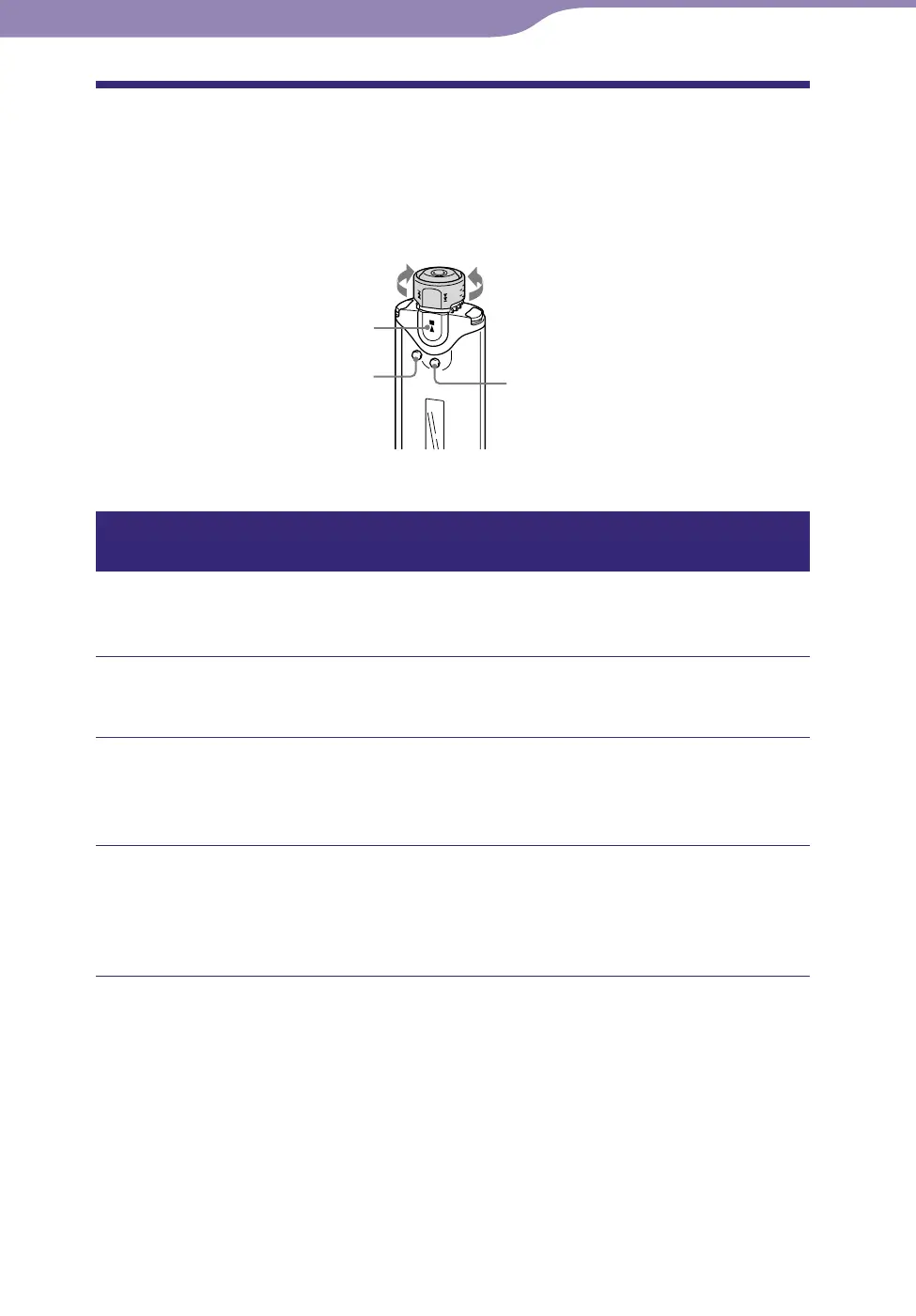
Shuttle switch
DISP/FUNC button
button
to to
SEARCH/MENU
button
Playing your 100 favorite tracks in random order
(My Favorite Shuffle)
The player selects the 100 tracks that have been played the most and plays
them in random order repeatedly.
Press and hold the DISP/FUNC button until the Function menu
appears.
Rotate the Shuttle switch to select “Intelligent Shuffle” and
press the button to confirm.
The Intelligent Shuffle mode menu appears.
Rotate the Shuttle switch to select “My Favorite Shuffle” and
press the button to confirm.
The 100 tracks that have been played the most are shuffled and played
back repeatedly.
Continued
Playing Tracks



 To Next Page