NW-A605 / A607 / A608.GB.2-661-269-11(1)
28
28
Selecting the repeat mode (Repeat Mode)
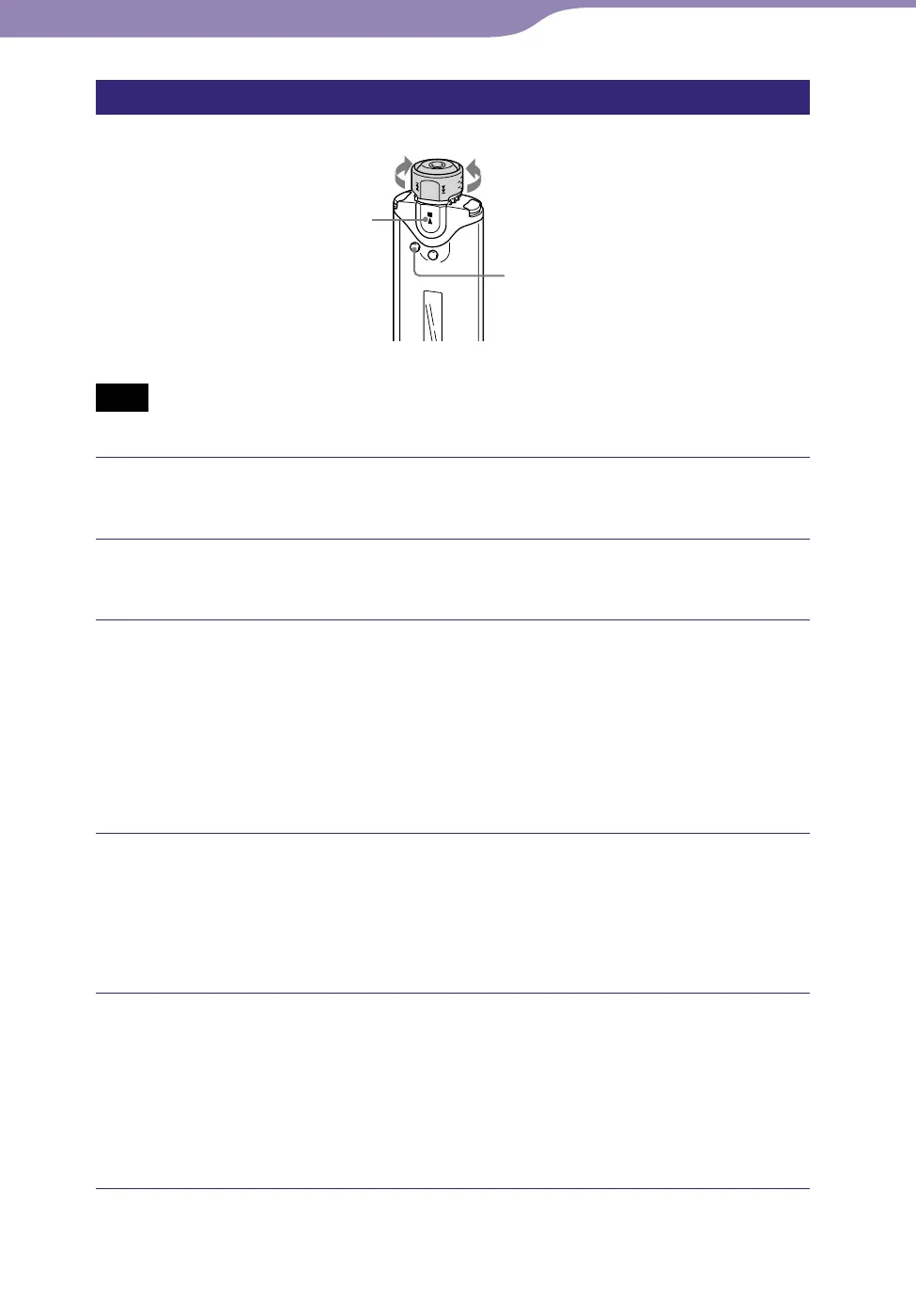
Shuttle switch
SEARCH/MENU
button
button
to to
Note
• Only available when using the Music Library function in stop mode.
Press and hold the SEARCH/MENU button in stop mode until
the Setting menu appears.
Rotate the Shuttle switch to select “Repeat Mode>” and press
the button to confirm.
Rotate the Shuttle switch to select a desired repeat mode and
press the button to confirm.
You can select one repeat mode from “Track Rep,” “A-B Rep” or
“Sentence Rep.”
If you select either “Track Rep” or “A-B Rep,” proceed to step .
If you select “Sentence Rep,” the “Repeat Count” number appears in [ ].
Proceed to step .
If “Sentence Rep” is selected in step :
Rotate the Shuttle switch to select the desired repeat count
number and press the button to confirm.
You can set the repeat count number from 1-9. The default setting is 2
times.
Press the SEARCH/MENU button repeatedly to exit menu
mode.
Refer to the following topics for each repeat mode operation.
• Track Rep: “Playing tracks repeatedly (Track Repeat)” (
page 29).
• A-B Rep: “Playing a specified section repeatedly (A-B Repeat)” (
page 30).
• Sentence Rep: “Playing specified sentences repeatedly (Sentence Repeat)” (
page 32).
Continued
Playing Tracks...Changing the Repeat Mode



 To Next Page