NW-A605 / A607 / A608.GB.2-661-269-11(1)
45
45
Selecting the display types (Display Screen)
You can select whether or not to use each of the 6 display types: “Property,”
“Clock1,” “Clock2,” “Flower,” “Tropical Fish,” and “Lapse Time” by pressing
the DISP/FUNC button.
You can only view the screen which is set to on in the “Display Screen” menu.
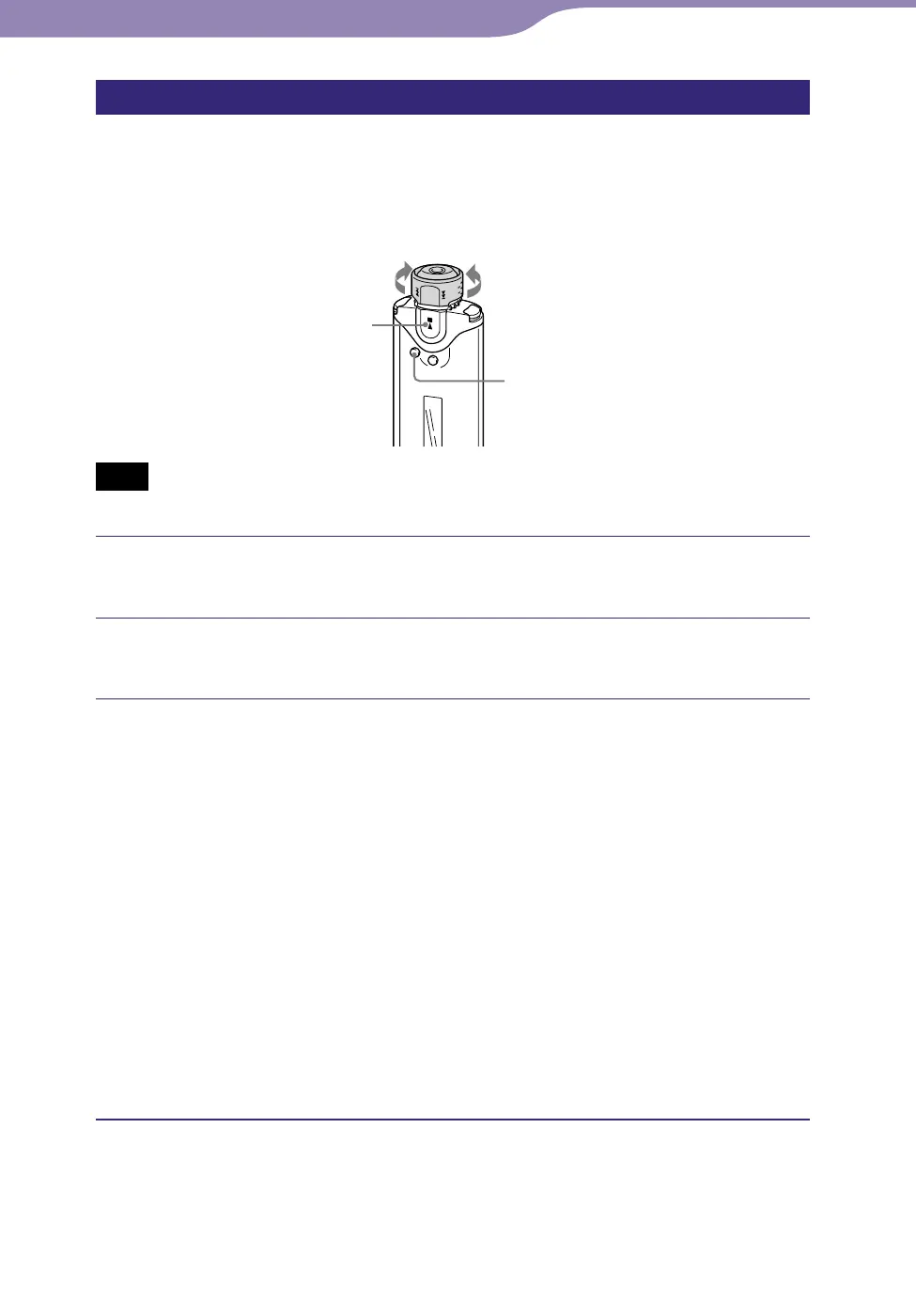
Shuttle switch
SEARCH/MENU
button
button
to to
Note
• Only available when using the Music Library function.
Press and hold the SEARCH/MENU button until the Setting
menu appears.
Rotate the Shuttle switch to select “Display Screen>” and
press the button to confirm.
Set the check marks for “Property,” “Clock1,” “Clock2,”
“Flower,” “Tropical Fish,” and “Lapse Time” screen.
Rotate the Shuttle switch to select “Property” and press the
button to confirm.
Rotate the Shuttle switch to select “Clock1” and press the
button to confirm.
Rotate the Shuttle switch to select “Clock2” and press the button
to confirm.
Rotate the Shuttle switch to select “Flower” and press the button
to confirm.
Rotate the Shuttle switch to select “Tropical fish” and press the
button to confirm.
Rotate the Shuttle switch to select “Lapse Time” and press the
button to confirm.
If a check is already marked, the above steps will uncheck it.
To cancel the Menu mode
Press the SEARCH/MENU button to return the screen to the previous stage.
Press repeatedly to exit menu mode.
Settings...Changing the Display Mode



 To Next Page