NW-A605 / A607 / A608.GB.2-661-269-11(1)
35
35
Adjusting the Sound quality (Sound)
You can adjust the bass and treble.
Sound quality Emphasis level
Bass -4 to +3
Treble -4 to +3
You can preset the desired sound quality settings as “Sound 1” and “Sound 2”
and select either one while playing music.
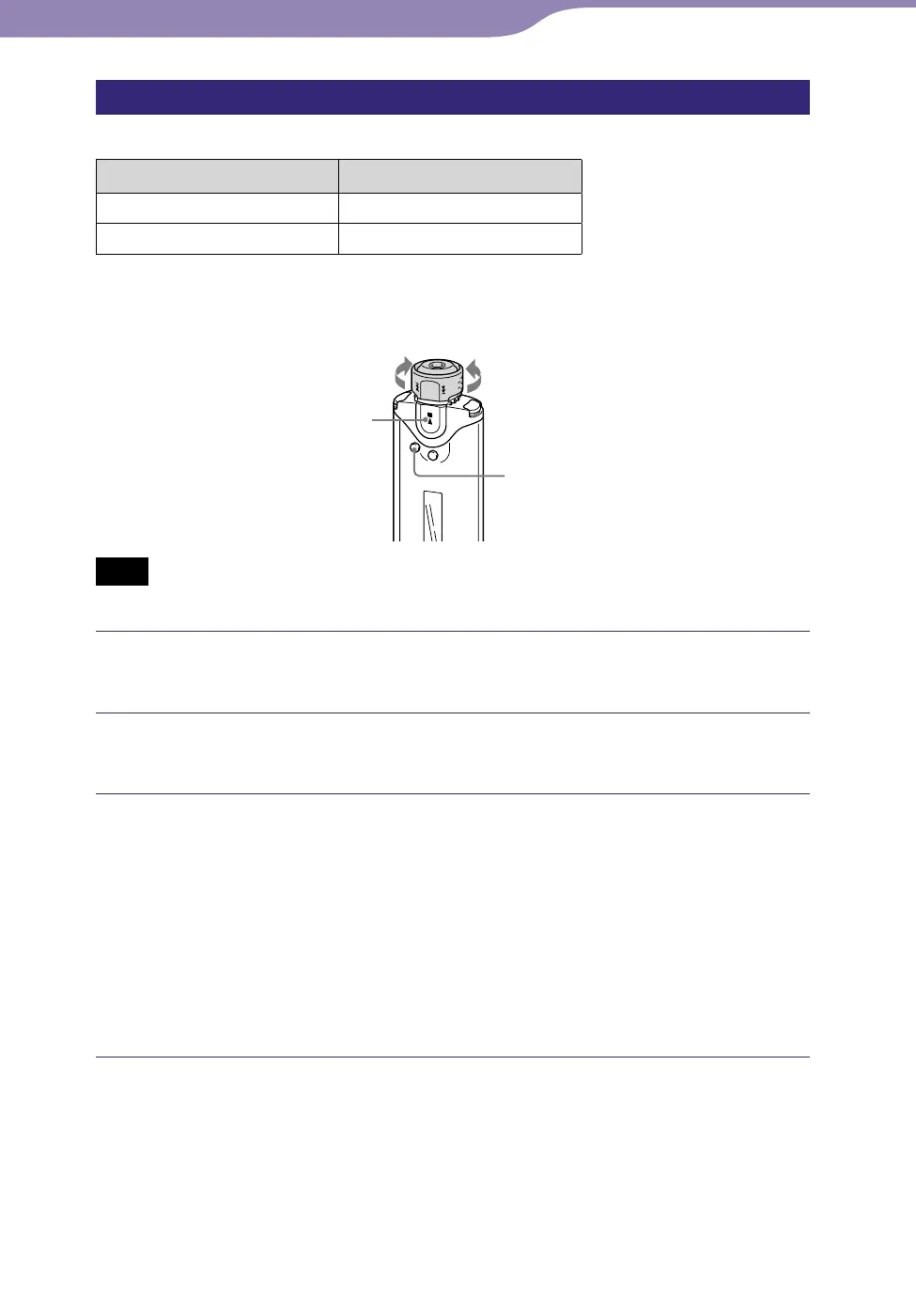
Shuttle switch
SEARCH/MENU
button
button
to to
Note
• You cannot adjust the sound quality settings while using the FM tuner.
Press and hold the SEARCH/MENU button until the Setting
menu appears.
Rotate the Shuttle switch to select “Sound>” and press the
button to confirm.
Set the tone for “Sound 1.”
Rotate the Shuttle switch to select “Sound 1>” and press the
button to confirm.
The value of “Bass” appears in [ ].
Rotate the Shuttle switch to adjust the value of “Bass” and press the
button to confirm.
The value of “Treble” appears in [ ].
Rotate the Shuttle switch to adjust the value of “Treble” and press the
button to confirm.
To adjust the “Sound 2” setting
Select “Sound 2>” in step .
To cancel the Menu mode
Press the SEARCH/MENU button to return the screen to the previous stage.
Press repeatedly to exit menu mode.
Settings...Setting the Sound Quality



 To Next Page