NW-A605 / A607 / A608.GB.2-661-269-11(1)
48
48
Formatting Memory
(Format)
You can use the player to format the built-in flash memory.
If memory is formatted, all the following data stored in the built-in flash
memory will be erased. Be sure to verify the data stored in the memory prior
to formatting.
• All music data transferred to the player using the CONNECT Player
• All data stored to the player using Windows Explorer, etc.
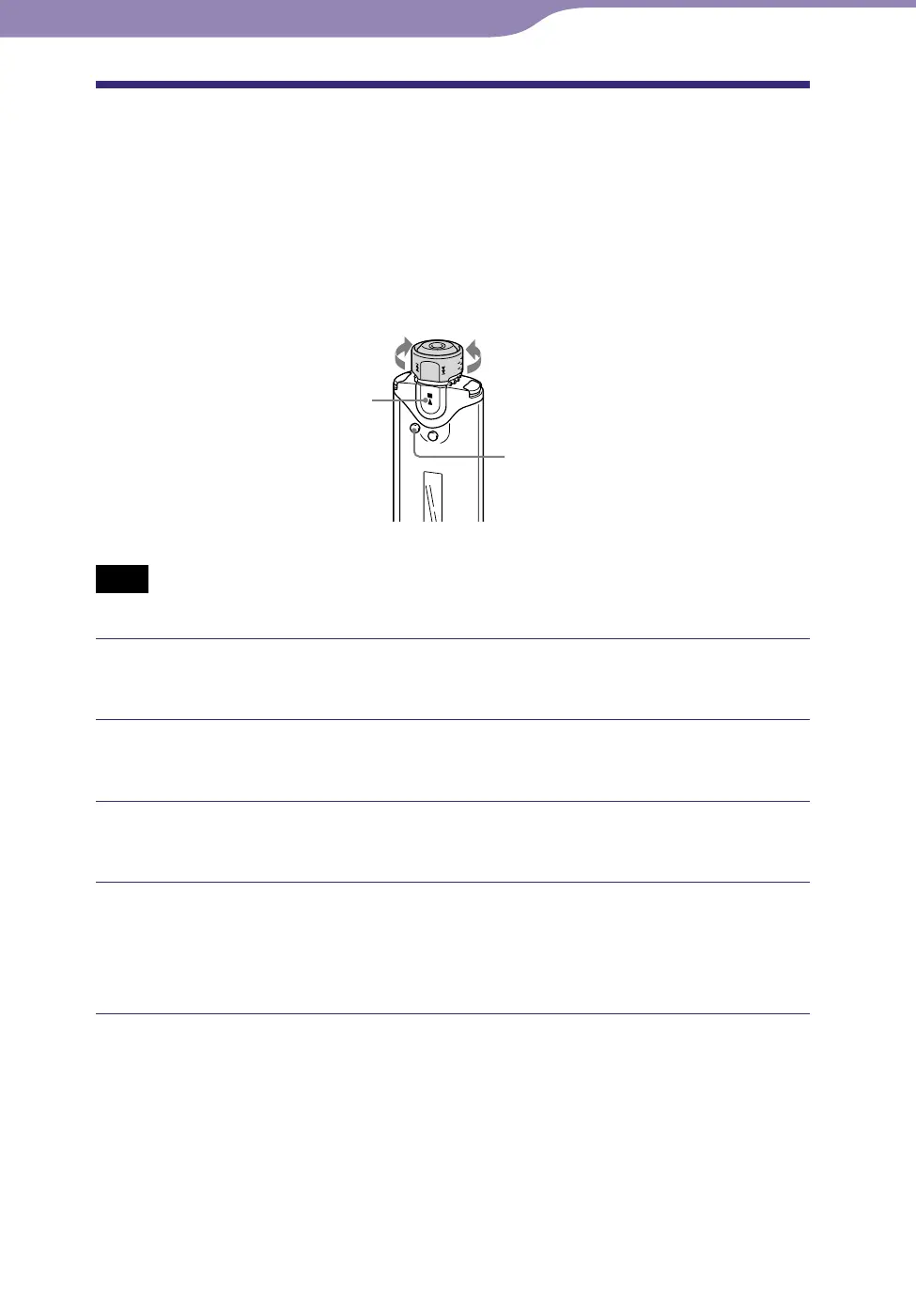
Shuttle switch
SEARCH/MENU
button
button
to to
Note
• Only available when using the Music Library function in stop mode.
Press and hold the SEARCH/MENU button in stop mode until
the Setting menu appears.
Rotate the Shuttle switch to select “Advanced Menu>” and
press the button to confirm.
Rotate the Shuttle switch to select “Format>” and press the
button to confirm.
Rotate the Shuttle switch to select “OK” and press the
button to confirm.
“Formatting...” appears and formatting starts.
When formatting is complete, “Complete” appears.
Continued
Settings



 To Next Page