Reader™ User Guide
Print
Search
Getting started
Basic Operations
Adding/Getting Content
Browsing Content Lists
Reading
Organizing
Other Applications
Settings
Other Information
Contents list
Top page > Other Applications > Dictionary > Using the Dictionary
Using the Dictionary
You can choose one of several embedded dictionaries to use.
Only the dictionaries included on the Reader can be used. New dictionaries cannot be installed
or added.
1. Press the
(Home) button tap [Dictionary].
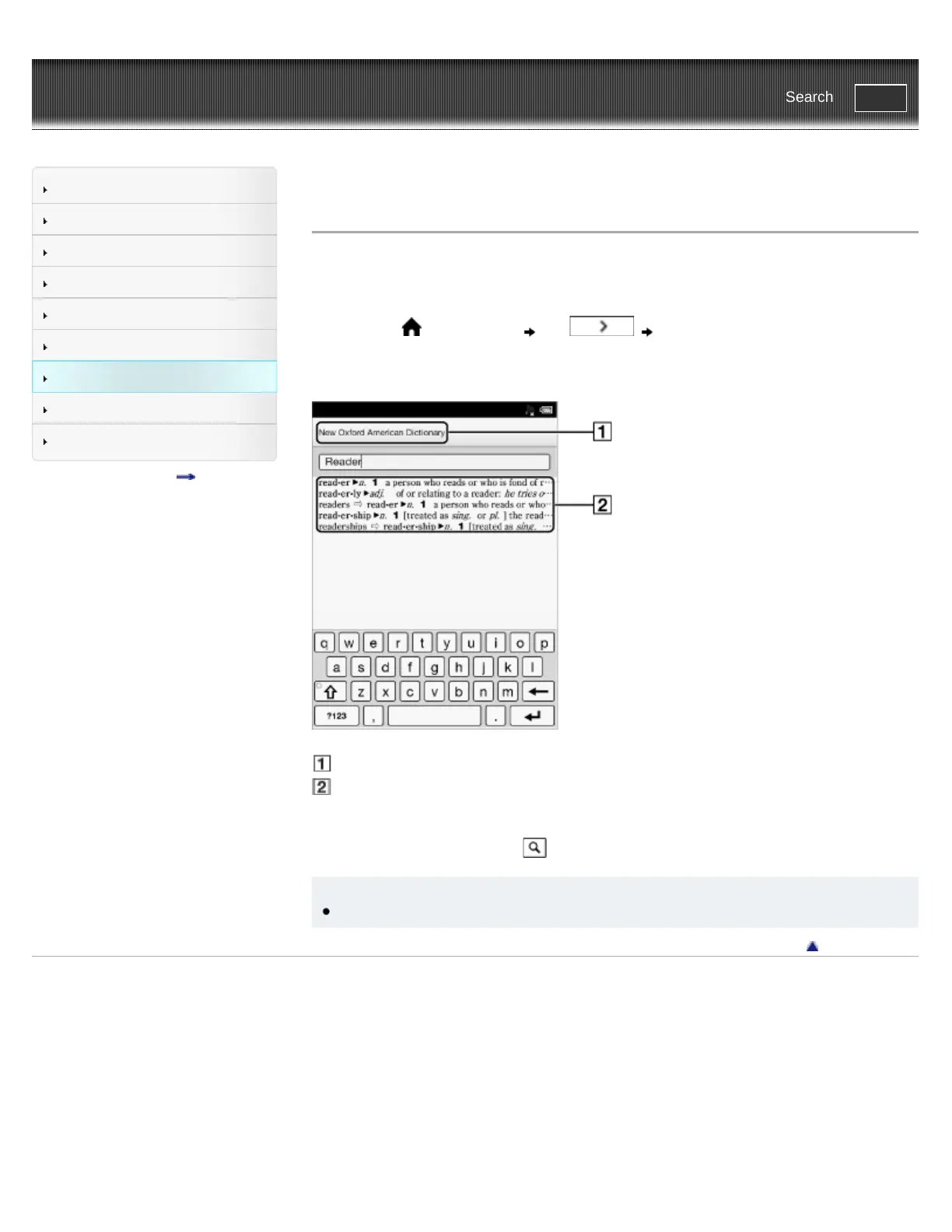
2. Type a word that you wish to look up by using the on-screen keyboard.
The list of candidate words is displayed.
Title of the current dictionary
List of candidate words
3. Tap one of the candidate words.
The definition is displayed in the dictionary viewer.
To look up another word, tap (Search) in the dictionary viewer.
Tip
In the dictionary viewer, tap and hold another word to look that word up in the dictionary.
Go to page top
Copyright 2011 Sony Corporation














 To Next Page