EasyManua.ls Logo

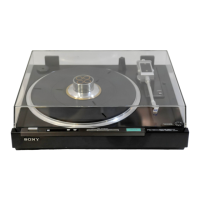
Sony PS-FL1 - Cartridge Installation; PS-FL1 C Factory Cartridge Notice; Cartridge Weight and Wiring Guidelines; Tonearm Assembly

Sony PS-FL1
39 pages
Print Icon
To Next Page IconTo Next Page
To Previous Page IconTo Previous Page
Loading...
Notes
on
the
module
The
OPEN/CLOSE
button.
does
not
activate
when
the
power
is
turned
off.
Never
push
or
pull
the
module
forcibly.
Do
not
push
down
on
the
module.
Do
not
stop
the
module
when
it
is
moving.
Be
careful
that
no
foreign
object
is
caught
between
the
module
and
the
cabinet.
lf
the
foreign
object
should
be
caught
in
this
position,
press
the
OPEN/CLOSE
button
immediately
so
that
the
module
will
move
to
the
opposit
direction.
If
you
leave
the
foreign
object
between
the
module
and
the
cabinet
for
10
seconds,
the
module
will
automatically
move
to
the
opposite
direction.
Eseeneneneet
|
PS-FL1
/FL1C
PS-FL1/FL1C
@Carefully
place
the
platter
on
the
motor
board
by
fitting
the
center
hole
over
the
center
spindle.
Be
careful
that
no
foreign
ob-
jects
lodge
under
the
platter.
@
Place
the
rubber
mat
on
the
platter,
aligning
the
holes
in
the
rub-
ber
mat
and
the
holes
in
the
platter.
Platter
Match
the
projection
with
the
hole.
Align
the
holes
in
the
rubber
mat
with
the
holes
in
the
platter.
CARTRIDGE
INSTALLATION
Notice
on
the
PS-FL1C
The
supplied
cartridge
has
been
instailed
on
the
cartridge
shell
at
the
factory.
The
following
procedure
is
not
necessary
unless
you
replace
the
cartirdge.
Any
cartridge
weighing
from
2.5
to
7
grams
can
be
mounted
onto
the
supplied
cartridge
shell.
@
Connect
the
lead
wires
of
the
shell
to
the
corresponding
pins
on
the
cartridge.
Wires
Cartridge
pins
White...........
White,
L
(Left
channel
signal)
Blue
82-2
eae
deed
Blue,
LE
or
G
(Left
channel
ground)
Reds.
beak
ee
ee
Red,
R
(Right
channel
signal)
Green
ea
A
sk
ae
aes
Green,
RE
or
G
(Right
channel
ground)
TONEARM
ASSEMBLY
@
Secure
the
tonearm
to
the
arm
rest.
@
Plug
the
cartridge
shell
into
the
tonearm
and
turn
the
locking
col-
lar
counterclockwise
until
the
shell
is
firmly
locked.
@
Insert
the
counterweight
and
turn
it
in
the
direction
of
the
arrow.
@
Temporarily
install
the
cartridge
into
the
shell
with
the
supplied
mounting
screws
as
illustrated.
@
Place
the
cartridge
shell
exactly
over
the
diagram
below
and
ad-
just
the
position
of
the
cartridge
so
that
the
stylus
tip
is
just
over
the
point
where
the
lines
cross.
Then
tighten
the
screws
down.
Cartridge
Parallel
Cartridge
shell
SH-151
(supplied)
Stylus
tip
over
this
point
Guide
pin
Note
The
cartirdge
supplied
with
this
turntable
is
unified
with
the
shell.
To
use
a
different
cartridge,
refer
to
page
15.
;
Counterweight
Arm
rest
Locking
collar
Anti-skating
compensator

Other manuals for Sony PS-FL1

Related product manuals