PRS-300.GB.4-151-151-11(1)
Getting Started
Make sure your computer is connected to an AC
outlet and turned on (not in sleep mode).
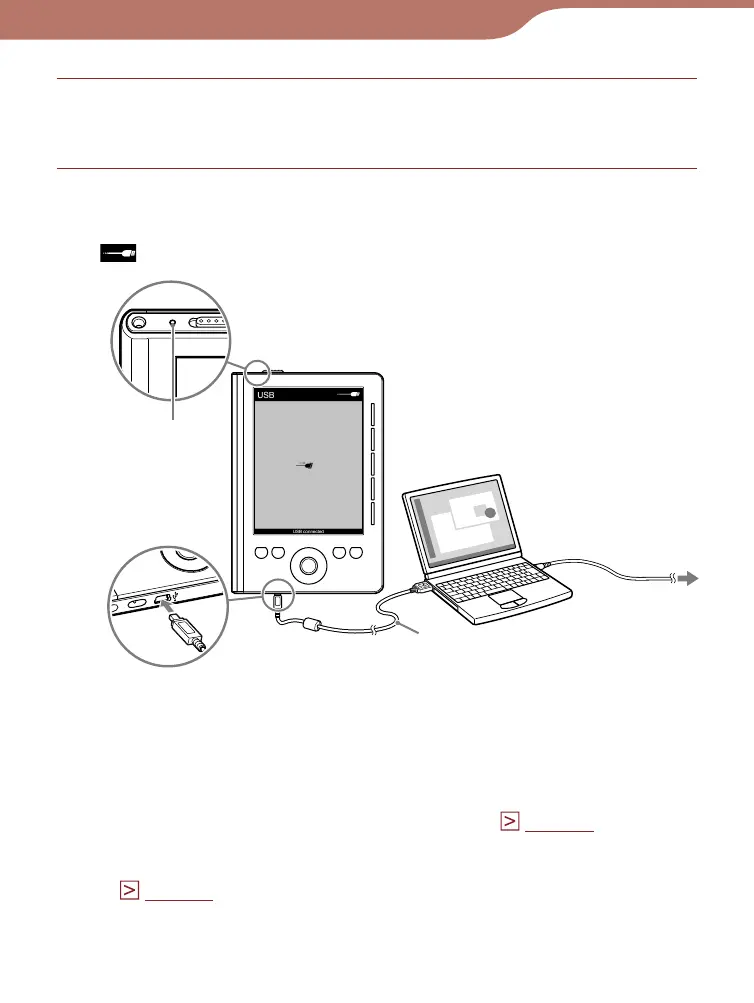
Connect the Reader to your computer using the
supplied USB cable.
appears on the Reader and charging starts.
USB cable (supplied)
Charge
indicator
To AC outlet
* The displayed screen during the USB connection varies
depending on the using environment.
Hints
• If eBook Library has not been installed on your computer, the
AutoPlay window appears (Windows only). (
page 15
)
• To check how much the Reader has been charged, disconnect
the Reader from your computer, then check the battery icon.
(
page 13
)
• When the Reader is charged fully, the charge indicator (lights up
in red while charging) goes off.
Continued
12













 To Next Page