PRS-300.GB.4-151-151-11(1)
Reading Books
Using the Useful Features
You can use the various features to enhance readability.
Adjusting text size
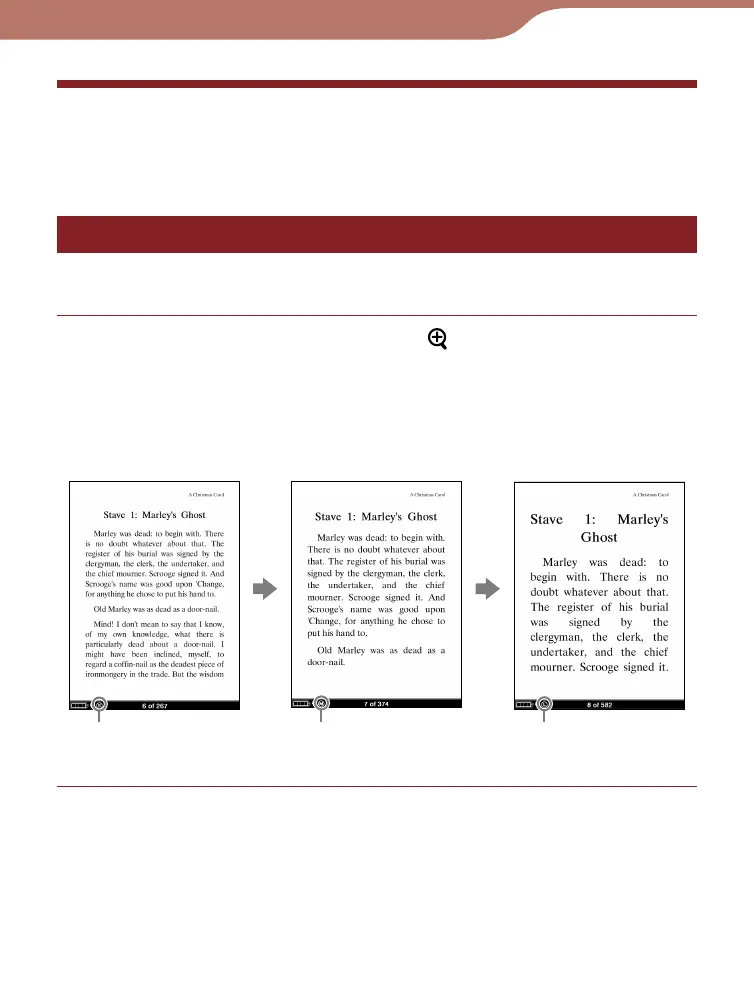
You can adjust the text size in 3 different sizes (S, M or L).
On the book page, press the (Size) button.
The text size is changed and the text and layout of the
book page are adjusted automatically to fit the screen
size.
The text size changes as shown below:
S
M
L
Continued
44













 To Next Page