PRS-300.GB.4-151-151-11(1)
Reading Books
Operations on the book page
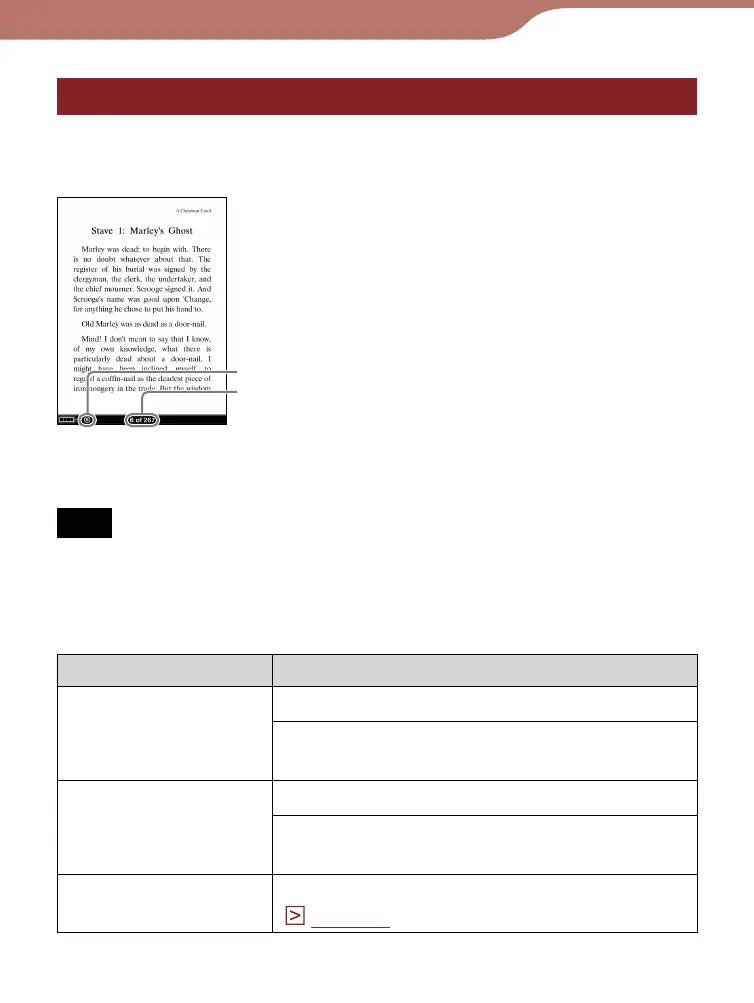
On the Book page screen, the following operations can be
performed.
Book page
Size indicator
Current page number/
total page number
Note
When the text on an EPUB file is magnified, the page number of
some divided sections may be displayed as “3-4,” for example,
which implies that you are viewing a section between page 3 and
4.
Button Operation
////buttons Press: Turns pages.
Press and hold: Jumps 10 pages
ahead/back from the current page.
/ buttons (When
links are on the
page)
Press: Moves the cursor onto the links.
Press and hold: Moves the cursor onto
the uppermost/ lowest link on the page.
Number buttons
Press: Jumps to the inputted page.
(
page 50
)
Continued
42













 To Next Page