PRS-300.GB.4-151-151-11(1)
Troubleshooting
Troubleshooting
If the Reader does not function as expected, try the
following steps to resolve the issue.
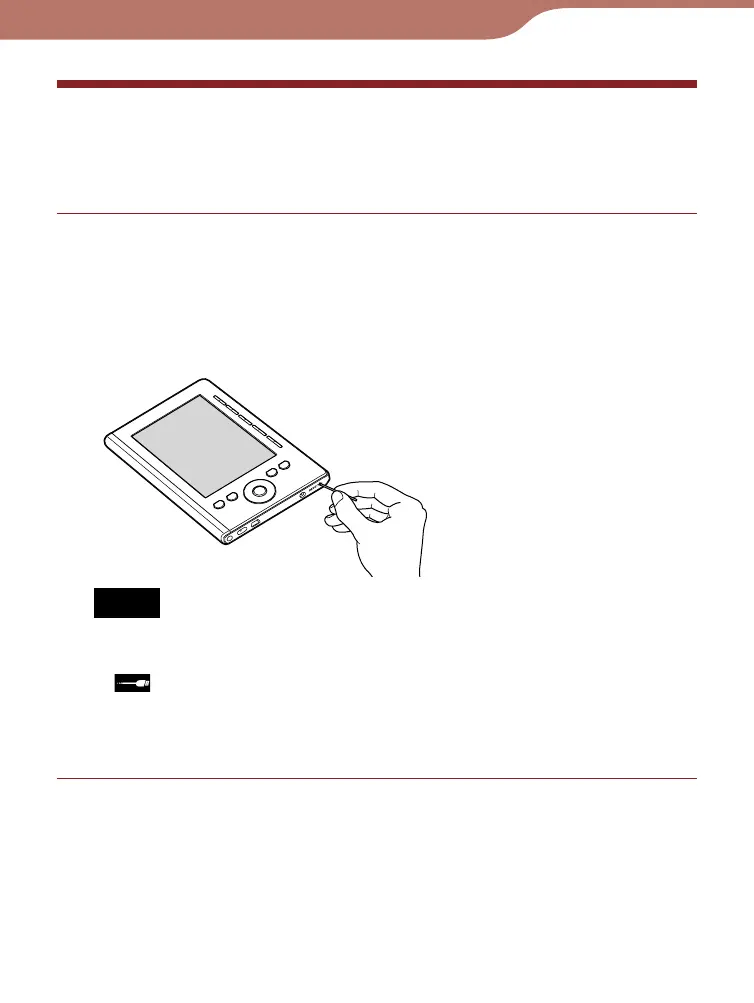
Reset the Reader by pressing the RESET button
with a small pin or clip, then slide the POWER
switch to turn on the Reader.
The contents stored on the Reader are not affected by
resetting.
Notes
• If you reset the Reader and connect it to your computer without
tur
ning it on, the Reader is not recognized by your computer and
does not appear on the Reader. Make sure to turn on the
Reader before the connection.
• The bookmarks or the setting inf
ormation may be deleted by
resetting.
Continued
Troubleshooting
64













 To Next Page