Home Menu
30
Table of Contents Index
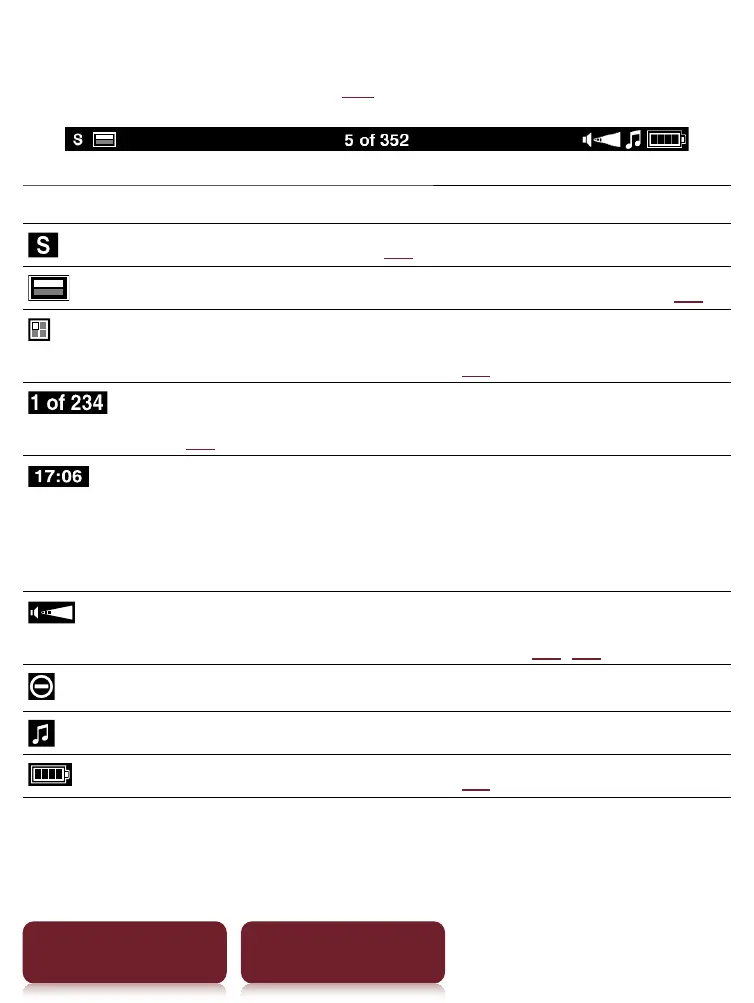
About the status bar (
29)
Icon Description
Current text Size (
47).
Current page position in landscape mode (
54).
Current page position indicator when in either 2
or 3 column split mode (
48).
Page Indicator. Tap this to jump to another page
(
57).
Current time indicator. Reader shows current time
in the middle of the status bar for 5 seconds after
the OPTIONS button is pressed and returns to the
previous display (either blank or page indicator).
Volume level indicator. This only appears when
the volume button is pressed (
11, 87).
An invalid operation.
Audio playback in background.
Battery status indicator (
13).













 To Next Page