EasyManua.ls Logo

Sony RM-E700 - Page 5

Sony RM-E700
86 pages
Print Icon
To Next Page IconTo Next Page
To Previous Page IconTo Previous Page
Loading...
Inserting
the
Lithium
Batteries
This
unit
uses
two
lithium
batteries
to
keep
the
data
for
program
editing,
the
data
for
timing
adjustment,
and
the
stored
remote
control
signal
of
other
manufacturer's
video
equipment.
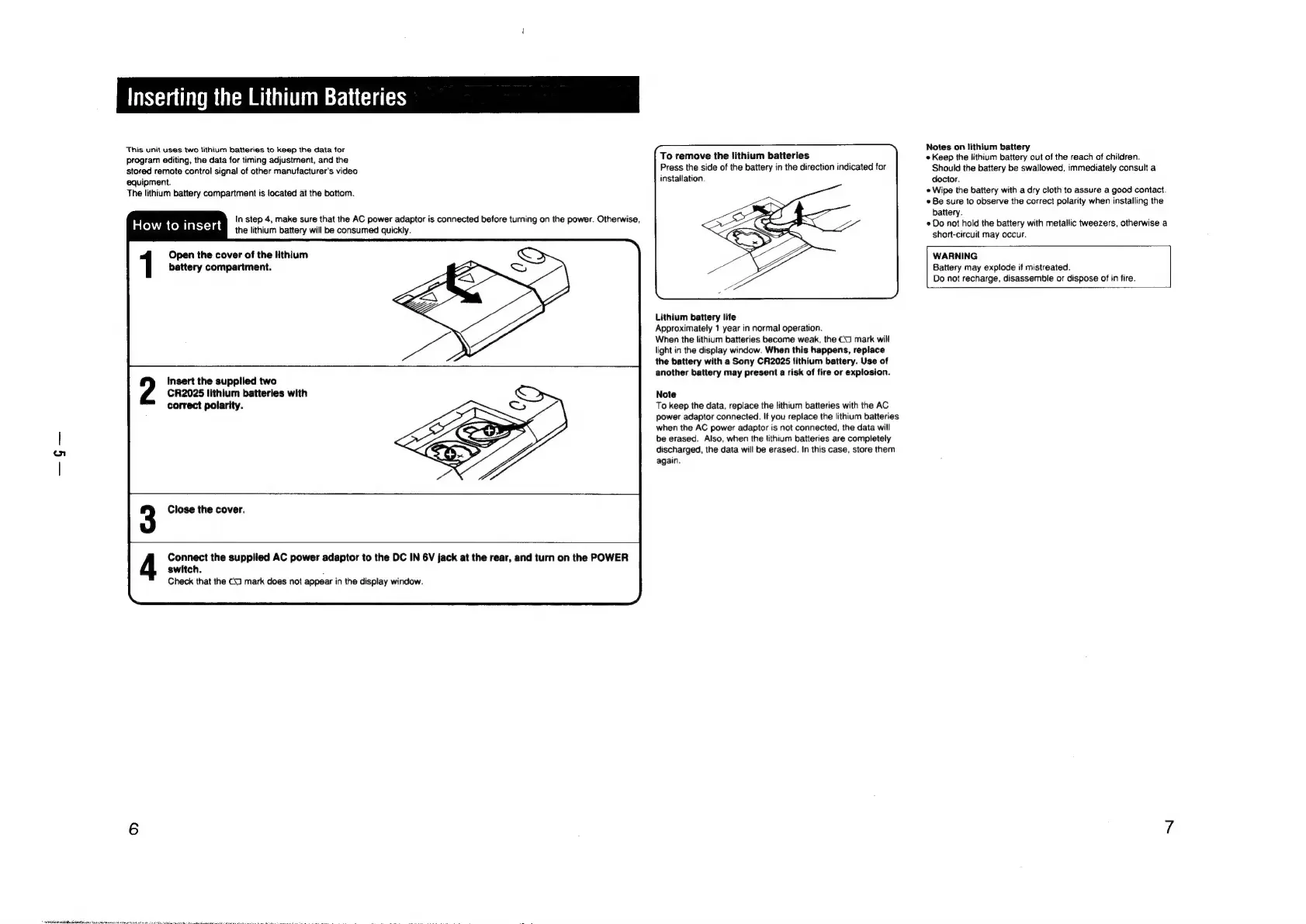
To
remove
the
lithium
batteries
Press
the
side
of
the
battery
in
the
direction
indicated
for
installation.
Notes
on
lithium
battery
«
Keep
the
lithium
battery
out
of
the
reach
of
children.
Should
the
battery
be
swallowed,
immediately
consult
a
doctor.
Wipe
the
battery
with
a
dry
cloth
to
assure
a
good
contact.
Be
sure
to
observe
the
correct
polarity
when
installing
the
battery.
*
Do
not
hold
the
battery
with
metallic
tweezers,
otherwise
a
short-circuit
may
occur.
The
lithium
battery
compartment
is
located
at
the
bottom.
i
In
step
4,
make
sure
that
the
AC
power
adaptor
is
connected
before
turning
on
the
power.
Otherwise,
How
to
insert
the
lithium
battery
will
be
consumed
quickly.
Open
the
cover
of
the
lithium
WARNING
battery
compartment.
Battery
may
explode
if
mistreated.
Do
not
recharge,
disassemble
or
dispose
of
in
fire.
Lithium
battery
life
Approximately
1
year
in
normal
operation.
When
the
lithium
batteries
become
weak,
the
(J
mark
will
light
in
the
display
window.
When
this
happens,
replace
the
battery
with
a
Sony
CR2025
lithium
battery.
Use
of
another
battery
may
present
a
risk
of
fire
or
explosion.
Insert
the
supplied
two
CR2025
lithium
batteries
with
correct
polarity.
Note
To
keep
the
data,
replace
the
lithium
batteries
with
the
AC
power
adaptor
connected.
If
you
replace
the
lithium
batteries
when
the
AC
power
adaptor
is
not
connected,
the
data
will
be
erased.
Also,
when
the
lithium
batteries
are
completely
discharged,
the
data
will
be
erased.
In
this
case,
store
them
again.
Close
the
cover.
Connect
the
supplied
AC
power
adaptor
to
the
DC
IN
6V
jack
at
the
rear,
and
turn
on
the
POWER
switch.
Check
that
the
C1
mark
does
not
appear
in
the
display
window.

Other manuals for Sony RM-E700

Related product manuals