12
GB
Guide to parts and controls
Main unit
Front
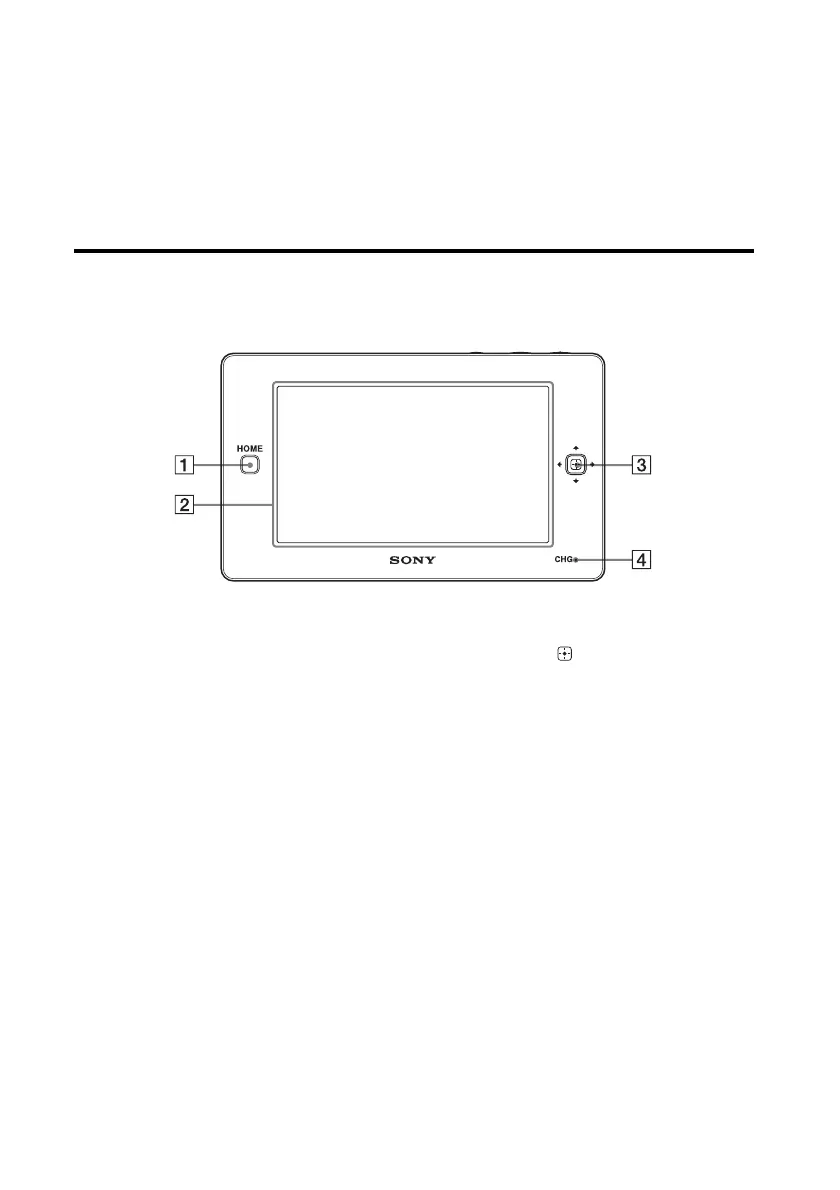
A HOME button
Press to display the HOME screen (page 14).
B LCD screen
Displays the touch panel screen for menu items
or the remote control. The remote screen
display depends on the status of the unit.
C Direction key/ (Enter) key
Use this key to select an item when you use this
unit as an infrared remote control. The key can
be used when it lights up.
D CHG (charging) indicator
Lights up in red while the unit is being charged
on the remote control charger. The indicator
turns off when charging has completed
(page 18).


 To Next Page