58
GB
To edit the actions registered
Tap “Did not work. Set advanced settings.” and tap
“OK” in step 18.
Registering a device
remote on the HOME
screen of the “ Activity”
tab
You can also register the remote control on the
HOME screen of the “ Activity” tab.
1
Press HOME on the unit.
The HOME screen appears.
2
Tap the “ Activity” tab.
3
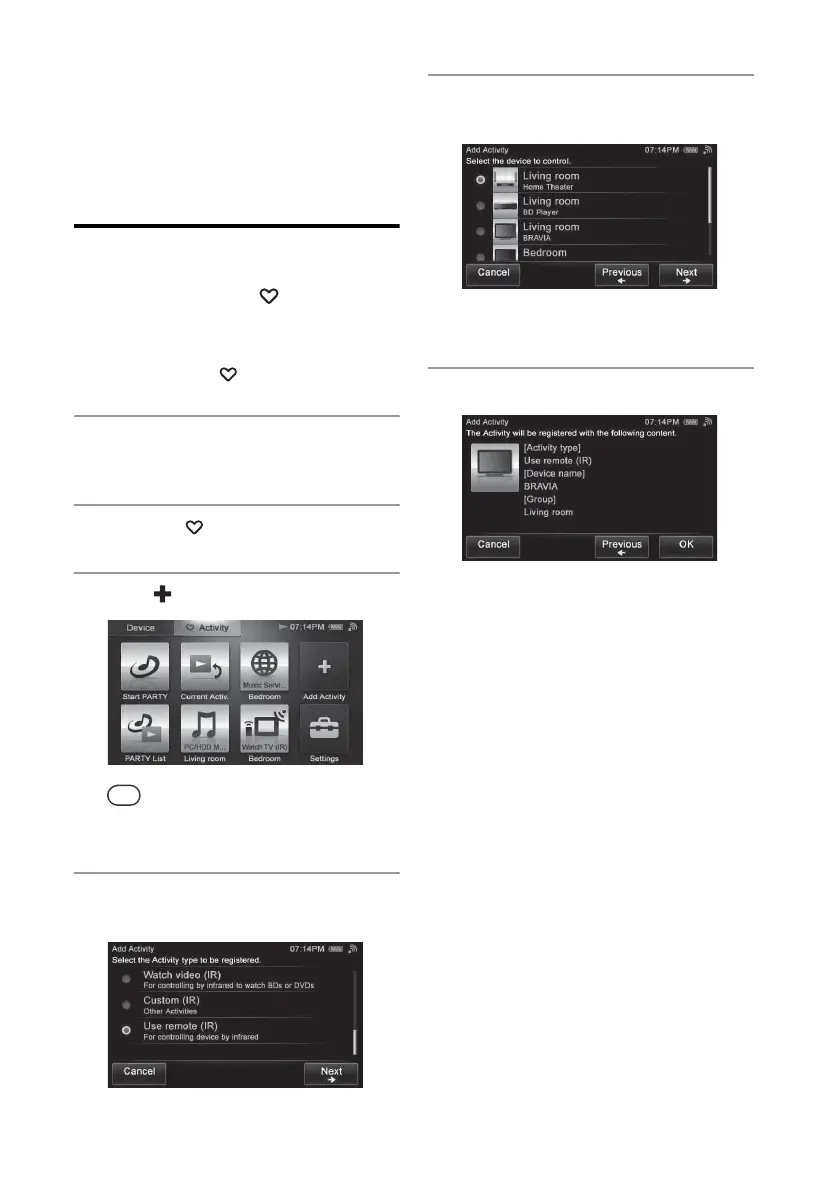
Tap “ Add Activity.”
Tip
A confirmation screen appears if you are
performing the Activity. Tap “OK” and go to step 4.
4
Tap “Use remote (IR)” then tap
“Next b.”
5
Tap the desired device, then tap
“Next b.”
A confirmation screen appears.
6
Tap “OK.”


 To Next Page