13
GB
Getting started
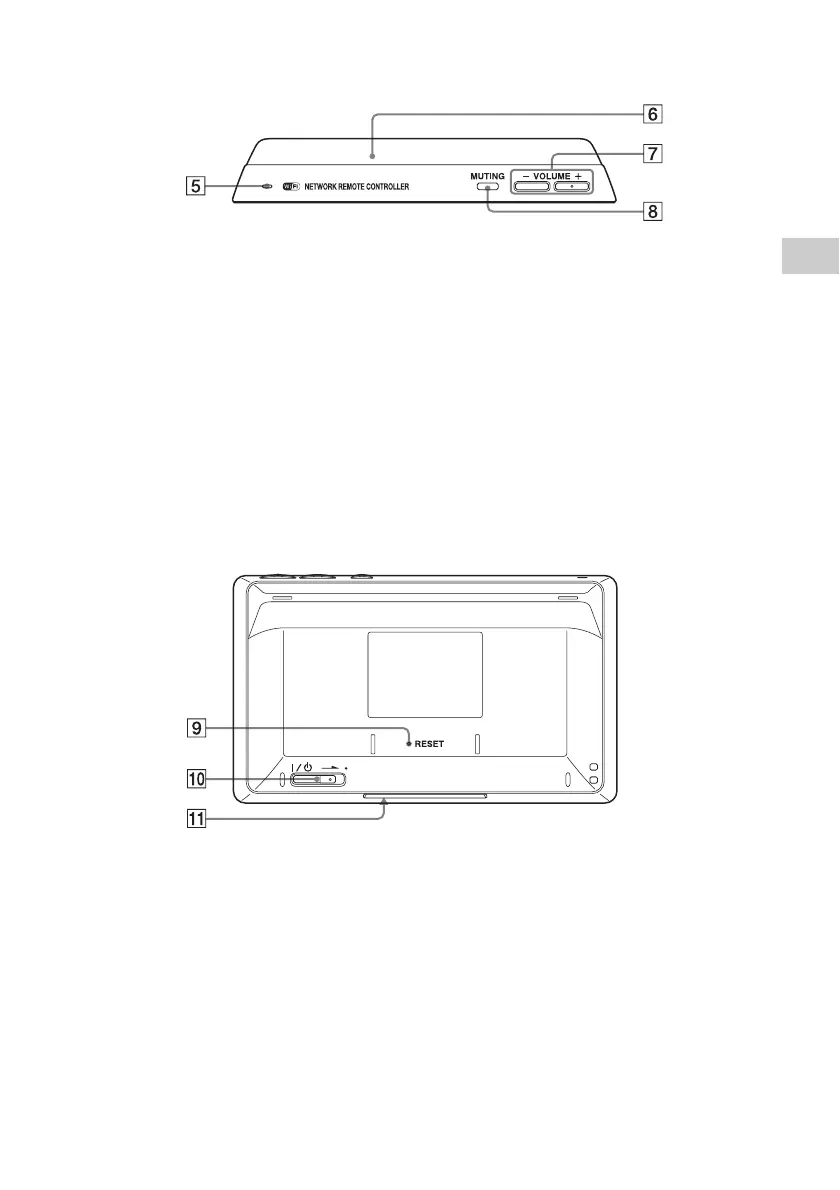
Top
E Speaker
The operation sound is output.
F Remote transmitter
Sends infrared signals to other devices.
G VOLUME +/– button
Press to adjust the volume level of the
operating device (page 41).
H MUTING button
Press to turn off the sound of the operating
device temporarily. Press the button again to
restore the sound (page 41).
Rear
I RESET button
Refer to “How to reset the unit” (page 72).
J ?/1 (power) switch
Slide the switch to turn the power on or off
(page 18).
K Remote sensor
Receives infrared signals from a remote control
when you use the learning function (page 51).


 To Next Page