59
GB
Using Activity
Using the Activity function
1
Press HOME on the unit.
The HOME screen appears.
2
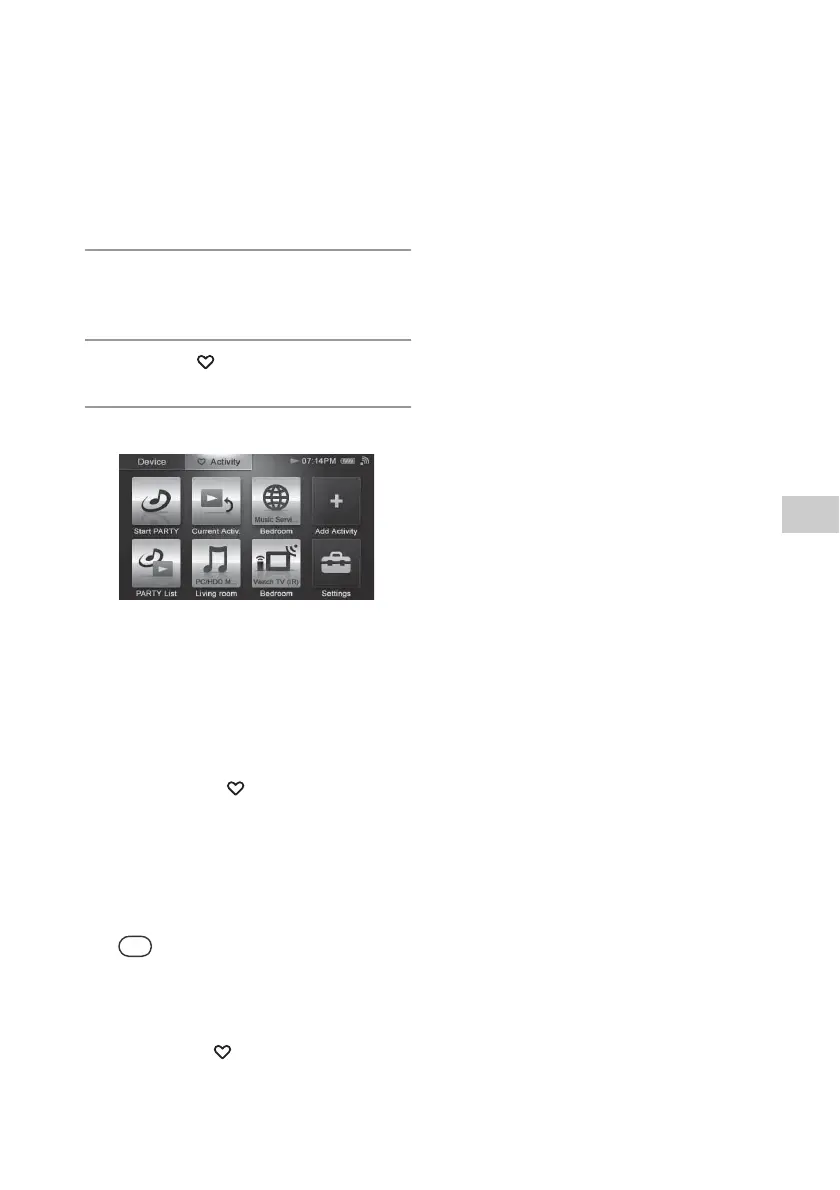
Tap the “ Activity” tab.
3
Tap the desired Activity icon.
The selected Activity is carried out.
To edit the registered Activity
Refer to “Editing a registered Activity” (page 62).
To delete an item from the HOME
screen of the “ Activity” tab
1
Tap and hold the Activity icon you
want to delete in step 3.
A menu appears.
2
Tap “Delete Activity.”
A confirmation screen appears.
Tip
“Delete Remote” appears when you select “Use
remote (IR)” as an Activity.
3
Tap “OK.”
The selected item is deleted from the HOME
screen of the “ Activity” tab.
4
Tap “Close.”


 To Next Page