HT-CT770
20
SECTION 3
TEST MODE
1. TEST MODES OTHER THAN THE TEST MODE MENU
These are executable test mode even if not entering the test mode
menu.
1-1. Cold Reset
It can initialize various backup information.
Procedure:
1. Press the [
?/1
] button to turn the power on.
2. Press the [
?/1
] button for ten seconds.
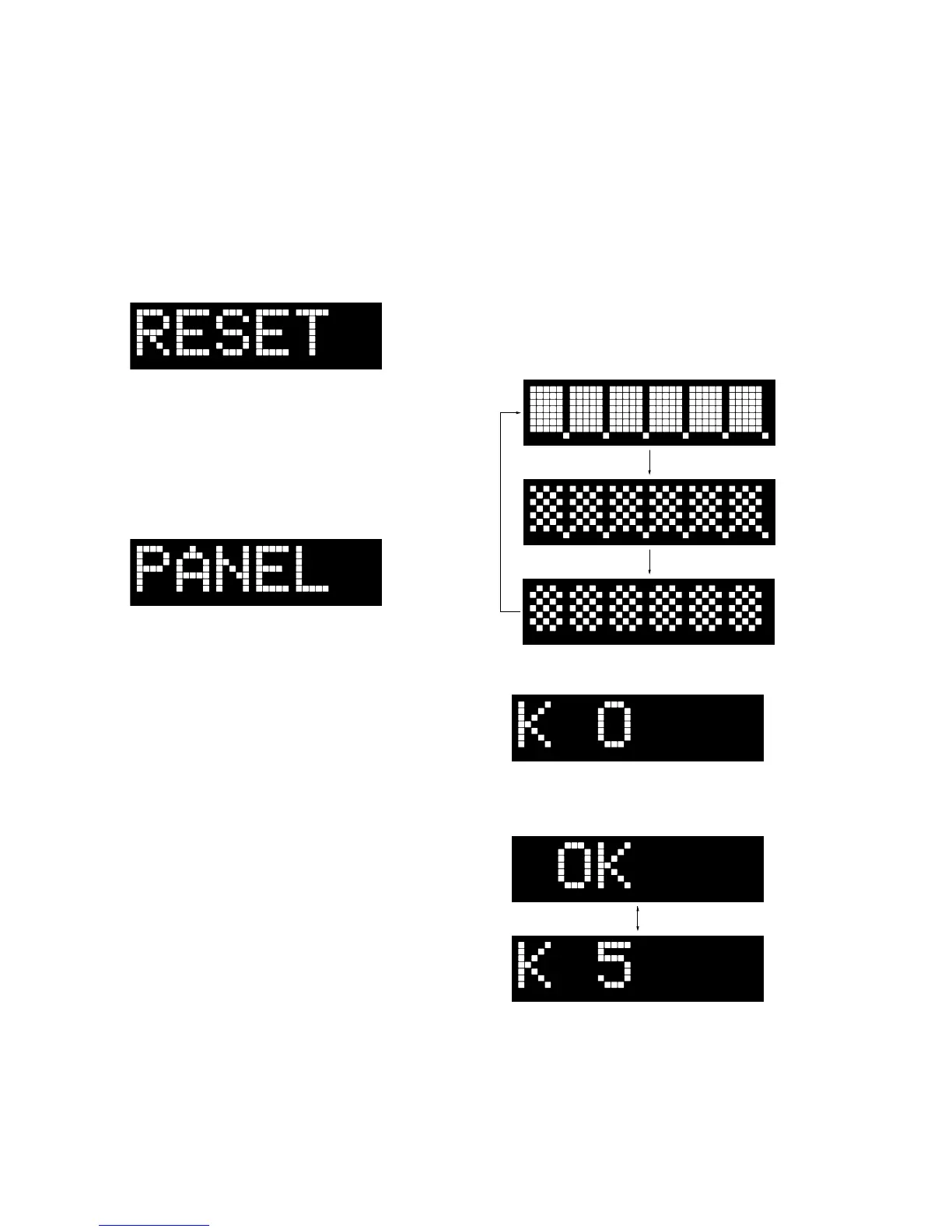
3. The message “RESET” is displayed on the fl uorescent indica-
tor tube, then turn the power off.
2. TEST MODES IN THE TEST MODE MENU
These are the test modes done in the test mode menu.
Setting method of the test mode menu:
1. Press the [
?/1
] button to turn the power on.
2. Press the two buttons of the [INPUT] and [VOL +] simultane-
ously for fi ve seconds.
3. The message “PANEL” blinks on the fl uorescent indicator
tube and enter the test mode menu.
Releasing method of the test mode menu:
Press the [
?/1
] button to release the test mode menu.
2-1. Panel Test Mode
It can confi rm the lighting of fl uorescent indicator tube and LEDs,
operation of buttons, display of model name, destination and soft-
ware version.
Procedure:
1. Enter the test mode menu.
(Refer to “Setting method of the test mode menu”)
2. In the state of blinking the “PANEL” on the fl uorescent indica-
tor tube, press the [INPUT] button.
3. All segments in the fl uorescent indicator tube and all LEDs are
lighted up.
4. When pressing the [VOL +] button, the display on the fl uores-
cent indicator tube repeatedly changes in order from all light-
ing → pattern 1 (lamp LED (white color) is lighted up) →
pattern 2 (lamp LED (blue color) are lighted up).
All ligting
Pattern 1
Pattern 2
5. In the state of step 4, press the [VOL –] button and “K 0” is
displayed on the fl uorescent indicator tube.
Each time a button is pressed, “K 0” value increases. However,
once a button is pressed, it is no longer taken into account.
When pressing the all buttons, “OK” and “K 5” are alternately
displayed on the fl uorescent indicator tube.
– Continued on next page –



 To Next Page